

Track Every Ticket. Bill Every Hour. Miss Nothing.
IT support teams lose revenue when hours go untracked. HiveDesk automatically records time by client and task, schedules shifts for 24/7 coverage, and generates verified timesheets for managed services billing. All for $5/user/month.
No credit card required · 14-day free trial · $5/user/month

IT Support Without Time Tracking Is Leaking Revenue
Help desk tickets pile up, technicians work across multiple clients, and hours slip through the cracks. Here is what changes with HiveDesk.
Without time tracking software
- Technicians forget to log hours on quick fixes and escalations
- Billable time for managed services clients goes unrecorded
- No visibility into how time splits across clients and tickets
- Shift coverage gaps go unnoticed until SLAs are breached
- Manual timesheets create billing disputes with clients
- Managers cannot verify remote technician productivity
With HiveDesk
- Time is captured automatically from the moment a technician starts working
- Every hour is tracked by client, project, and task for accurate billing
- Real-time dashboards show who is working on what, right now
- Shift scheduling ensures 24/7 coverage with no gaps
- Screenshot reports give clients verifiable proof of work
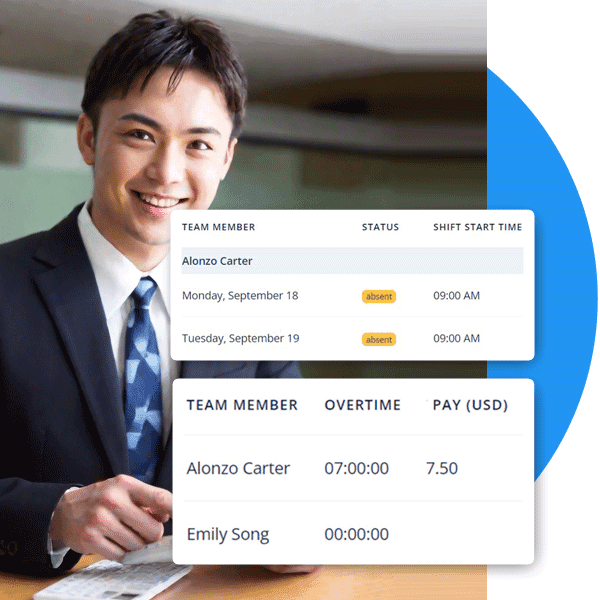
- Attendance, overtime, and leave records are always current
Ticket-Based Time Tracking
Track time by client, ticket, and support tier
IT support work is fragmented — a technician might handle three different clients in a single hour. HiveDesk lets you organize time by project and task, so every minute is attributed to the right client. No more guessing how long a ticket took or which client to bill.
- Create projects per client and tasks per ticket category or incident type
- One-click timer — technicians select the task and start working
- Track billable vs. non-billable hours separately
- Asana integration for tracking time directly against Asana tasks
- Periodic screenshots provide activity verification

Shift Scheduling for IT Support
Schedule shifts for 24/7 help desk coverage
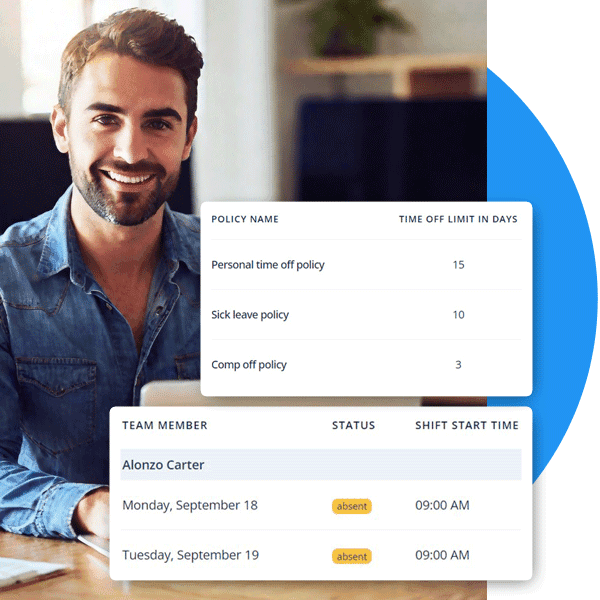
IT support teams often run around the clock. HiveDesk lets you create and assign shifts, so you always have the right people covering the right hours. Track schedule adherence in real time and spot coverage gaps before they cause SLA breaches.
- Create rotating shifts for 24/7 and on-call support coverage
- Employees see their schedules and upcoming shifts
- Track schedule adherence — know who clocked in on time
- Multi-timezone support for distributed IT teams
- Leave management ensures shifts are covered during time-off
SLA Compliance
Maintain SLA compliance with accurate records
When clients hold you to SLAs, you need airtight records. HiveDesk automatically captures attendance, work hours, overtime, and activity data. Real-time dashboards show team availability and workload, so you can spot issues before they escalate into SLA violations.
- Real-time dashboards show who is online and what they are working on
- Attendance records prove your team met coverage requirements
- Overtime tracking ensures compliance with labor laws
- Activity monitoring with screenshots documents work performed
- Export audit-ready reports for any compliance review

Managed Services Billing
Bill managed services clients with proof, not estimates
MSPs and IT consultancies lose money when billable hours go unrecorded. HiveDesk captures every minute, generates client-level time reports, and provides screenshot documentation that eliminates billing disputes. Stop leaving revenue on the table.
- Track billable hours by client, project, and technician
- Screenshot reports provide verifiable proof of work performed
- Generate client-ready reports in PDF or Excel
- Eliminate revenue leakage from unlogged quick fixes
Everything Your IT Team Needs. Nothing It Doesn't.
One plan. $5/user/month. Every feature included.
Automatic Time Tracking
One-click timer on desktop, mobile, and browser. Time is recorded by task, project, and client — no manual entries.
Employee Scheduling
Create shifts for 24/7 help desks and on-call rotations. Track schedule adherence in real time.
Activity Monitoring
Periodic screenshots and activity levels give you visibility into remote technician work without micromanaging.
Timesheets & Approval
Auto-generated timesheets with manager approval workflow. Export to PDF or Excel for client billing and payroll.
Attendance & Leave
Track attendance automatically from clock-in data. Manage time-off requests, approvals, and balances for your team.
Real-Time Dashboards
See who is online, what they are working on, and for how long. Drill into projects, clients, and individual technicians.
Trusted by Teams Worldwide Since 2011
We have used every time tracking software under the sun, and they all fall short in some area that we need, but overall HiveDesk has met our needs. Their PDF screenshot reports are clean, easy to use and understand. Our clients prefer them over the complicated reports of other systems.
HiveDesk has been instrumental in helping us manage our remote team effectively. The automatic time tracking and screenshot features give us the visibility we need without micromanaging. Setup was straightforward and our team adopted it within a day.
Frequently Asked Questions
Common questions about time tracking for IT support teams.
HiveDesk automatically tracks time while your IT team works using desktop apps (Windows, macOS, Linux), a mobile app (iOS), or a Chrome browser extension. Technicians start a one-click timer and time is recorded by task, project, and client. Periodic screenshots provide activity verification without disrupting workflow.
Yes. You can create projects and tasks in HiveDesk that map to clients, support tiers, or incident types. Technicians select the relevant task before starting the timer, and all tracked time is categorized accordingly. You can also integrate with Asana to track time directly against Asana tasks.
HiveDesk includes employee scheduling that lets you create and assign shifts for your support team. Technicians see their schedules, and managers can track adherence in real time. This is especially useful for 24/7 help desks and on-call rotations where coverage gaps are costly.
Absolutely. HiveDesk tracks billable and non-billable hours by client and project. At the end of a billing cycle, you can generate client-level time reports and export them as PDF or Excel. Screenshot reports provide verifiable proof of work that eliminates billing disputes.
Yes. HiveDesk supports distributed teams with multi-timezone scheduling, attendance tracking, and activity monitoring regardless of location. Managers see a unified dashboard with real-time data from all team members, no matter where they are.
HiveDesk takes periodic screenshots at a configurable frequency while the timer is running. Employees always know when tracking is active — there is no hidden surveillance. Activity levels (keyboard and mouse usage) are logged alongside time data, giving managers visibility without micromanaging.
HiveDesk has native apps for Windows, macOS, and Linux desktops, an iOS mobile app with GPS tracking, a Chrome browser extension, and a web dashboard accessible from any browser. Your IT team can track time from whatever device they use.
HiveDesk integrates with Asana for project and task management — you can track time directly inside Asana tasks. Timesheet data exports to Excel and PDF, making it easy to import into your ITSM, PSA, or invoicing tools.
HiveDesk costs $5 per user per month — one plan that includes every feature. No tiers, no hidden fees, no per-feature upsells. You get time tracking, screenshots, scheduling, attendance, leave management, task tracking, timesheets, and reporting. There is a free 14-day trial with no credit card required.
Most teams are up and running within a day. Sign up for the free trial, create your projects and tasks (map them to clients or ticket categories), invite your team, and have them install the app. No IT department involvement is needed for setup.
Related Resources
Guides
Templates
Ready to Get Started?
Join teams worldwide who trust HiveDesk for workforce management, time tracking, and employee monitoring. $5/user/month, all features included.