

Build Schedules in Minutes. Track Adherence Automatically.
Employee scheduling software that does not stop at the schedule. HiveDesk combines shift management with automatic time tracking, attendance monitoring, and activity verification — so you know exactly who is working, when, and on what.
No credit card required · $5/user/month, all features included
Scheduling Is Only Half the Battle
Most scheduling tools help you build a schedule. But they cannot tell you if employees actually followed it. HiveDesk closes the gap between the schedule you created and the work that actually happened.
With scheduling-only tools
- You create schedules but have no idea if employees follow them
- Late arrivals and early departures go unnoticed
- You need a separate tool for time tracking and a third for attendance
- No visibility into what employees actually do during their shifts
- Payroll requires manual data gathering from multiple systems
- Overtime and break compliance falls through the cracks
With HiveDesk
- Create shifts and track adherence in one platform
- Automatic clock-in data shows exactly when employees arrive and leave
- Time tracking, scheduling, and attendance in a single tool
- Screenshot monitoring and activity levels show what happened during shifts
- Timesheets generated automatically from shift and time data
- Break time, overtime, and attendance records are always current
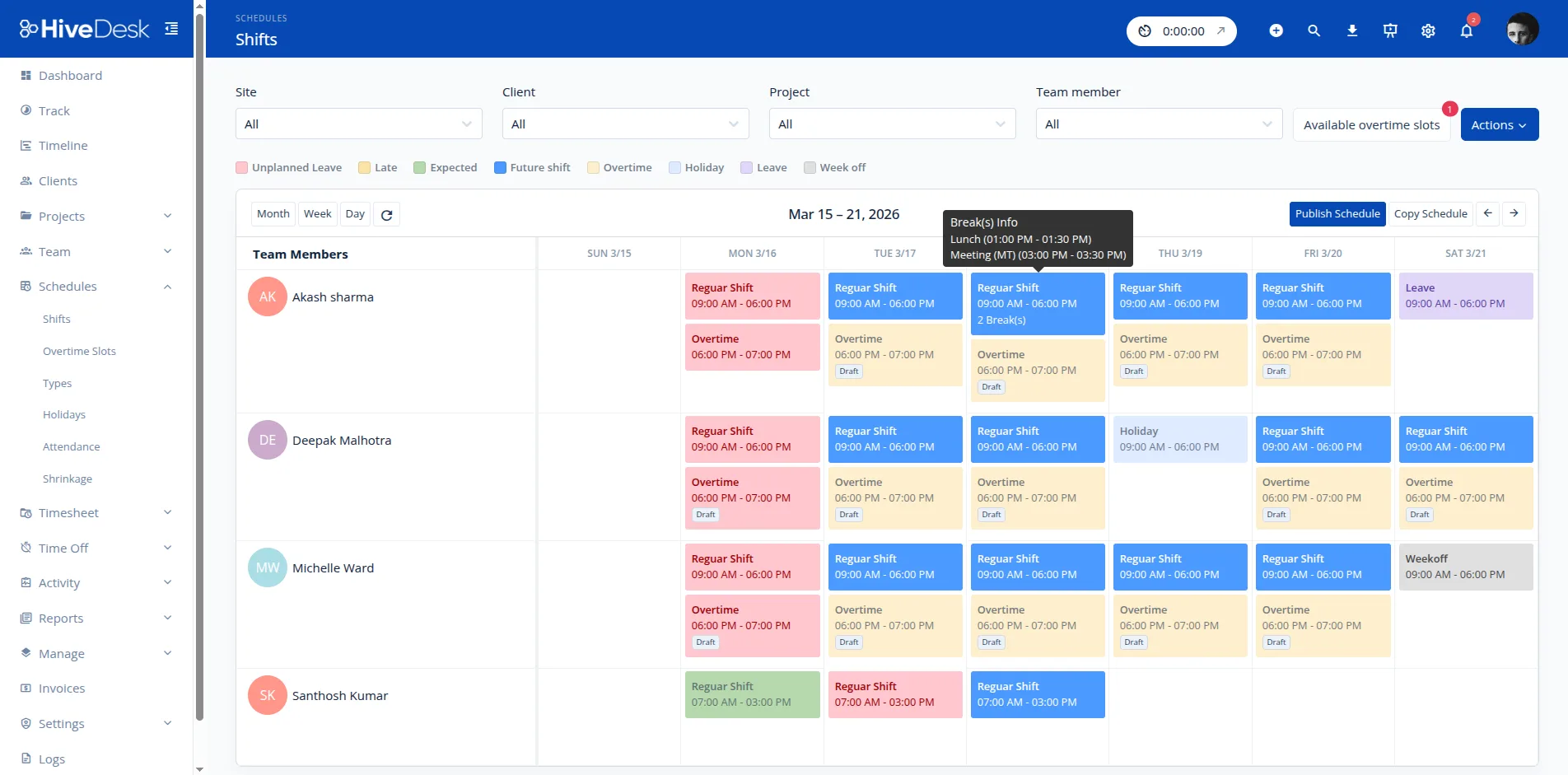
Shift Scheduling
Create schedules your team can actually follow
Build custom shift patterns in minutes. Define start times, end times, and break periods. Assign employees by role, skill, or availability. Set up recurring schedules so you do not have to rebuild them every week.
- Custom shifts with flexible start/end times and break periods
- Assign employees by availability, role, or skill set
- Recurring schedule templates for weekly or rotating patterns
- Employees see their schedules when they log in — no chasing required
Real-Time Adherence
Know who showed up and who did not — without checking
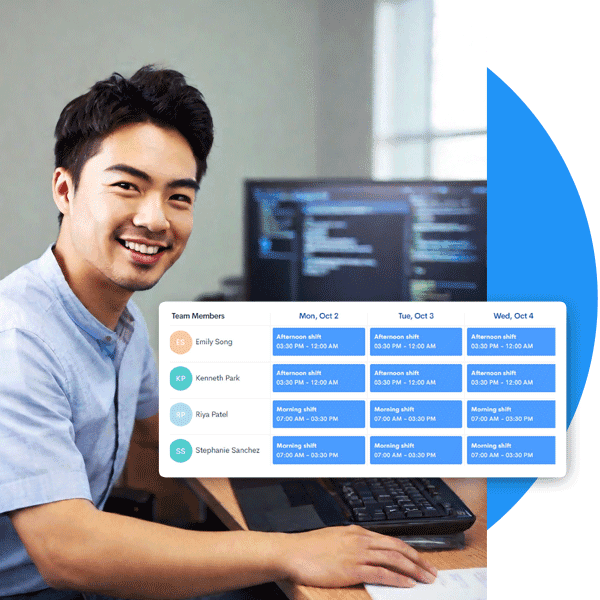
When employees clock in using HiveDesk, the system automatically compares actual work times against scheduled shifts. Late arrivals, early departures, and no-shows surface instantly on your dashboard. No manual attendance checking. No guesswork.
- Automatic clock-in/clock-out compared against scheduled shifts
- Real-time dashboard shows current shift status for every employee
- Late arrivals and early departures flagged automatically
- Historical adherence data for performance reviews and optimization

Attendance & Leave
Attendance tracking that runs itself
HiveDesk logs attendance automatically from clock-in data. No separate attendance system needed. Combine it with leave management — employees submit time-off requests, managers approve, and the schedule reflects who is available. Everything stays in sync.
- Attendance logged automatically from tracked work hours
- Leave requests and approvals within the same platform
- Approved leave reflected in schedules automatically
- Attendance reports for payroll, compliance, and performance reviews

Task Management
Assign work within shifts. Track what gets done.
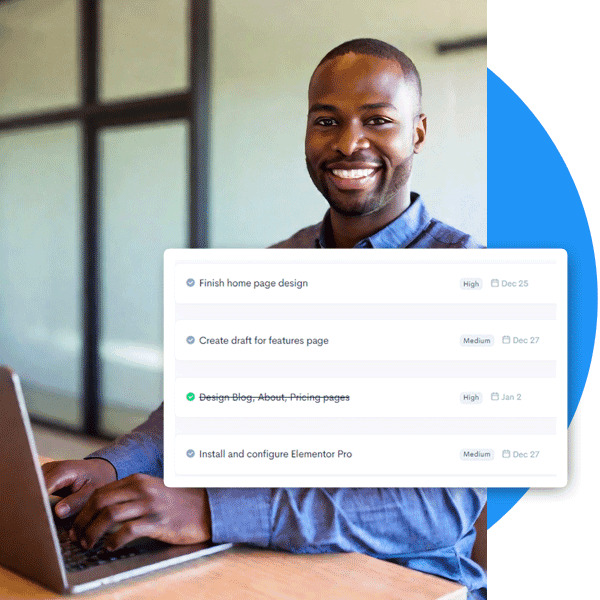
Scheduling tells you when people work. Task management tells you what they work on. HiveDesk combines both — assign tasks within scheduled shifts, track time spent on each task, and see progress in real time. You know not just that someone was working, but what they accomplished.
- Assign tasks to employees within their scheduled shifts
- Track time spent on each task automatically
- Monitor task progress and completion in real time
- Screenshot reports verify what work was done during shifts
HiveDesk vs. Other Scheduling Software
Dedicated scheduling tools build schedules. HiveDesk builds schedules and tells you what happened during them — with time tracking, screenshots, and attendance built in.
| HiveDesk | Deputy | When I Work | Hubstaff | |
|---|---|---|---|---|
| Shift scheduling | Yes — custom shifts, recurring patterns | Yes | Yes | No |
| Automatic time tracking | Yes — desktop, mobile, browser | Yes (clock-in only) | Yes (clock-in only) | Yes |
| Screenshot monitoring | Yes — configurable frequency | No | No | Yes ($7+/user) |
| Schedule adherence tracking | Yes — automatic from clock-in data | Yes | Limited | No |
| Attendance management | Yes — integrated with shifts | Yes | Limited | Limited |
| Leave/time-off management | Yes — requests & approvals | Yes | Yes | No |
| Task tracking within shifts | Yes — time by task and project | No | No | Yes |
| Timesheet generation & approval | Yes — auto-generated with approval | Yes | Limited | Yes |
| Client billing/invoicing | Yes — billable hours by client | No | No | Yes |
| Price (per user/month) | $5 — all features | $4.50–$6+ | $2.50–$8+ | $4.99–$10+ |
Everything You Need. Nothing You Don't.
One plan. $5/user/month. Every feature included.
Automatic Time Tracking
One-click timer on desktop, mobile, and browser. Hours recorded by task, project, and client.
Activity Monitoring
Periodic screenshots and activity levels. Transparent — employees always know when tracking is active.
Timesheets & Approval
Auto-generated timesheets with manager approval workflow. Export to PDF or Excel.
Leave Management
Employees request time-off, managers approve. Leave balances tracked automatically.
Task Management
Assign tasks within shifts. Track progress and time spent on each task.
Real-Time Dashboards
See who is working, on what task, and whether they are on schedule — right now.
Trusted by Teams Worldwide Since 2011
One of the first employee tracking software I ever used and I compare all the latest programs to HiveDesk. It is a definite contender in this space. Easy to use as the most important thing for time tracking is making sure that the program keeps track at a click of a button.
We tried a lot of the competitors and for many reasons HiveDesk won. Plus, the team loves their support. Fast and attentive. We love HiveDesk. It allows us to track people's use and find areas of weakness. Their price level is perfect for us, and we love their reporting.
What Is Employee Scheduling Software
Employee scheduling software replaces spreadsheets and paper schedules with a digital system for creating, managing, and communicating work shifts.
At its most basic level, scheduling software lets managers define shifts with start times, end times, and break periods, then assign employees to those shifts. But modern scheduling tools go well beyond simple shift creation. They handle availability management so employees can indicate when they can and cannot work, schedule publishing so teams are notified of their upcoming shifts, and shift swap and pickup workflows so employees can trade shifts without creating coverage gaps.
Compliance is an increasingly important function of scheduling software. Many jurisdictions have enacted predictive scheduling laws that require employers to provide advance notice of schedules, pay premiums for last-minute changes, and offer additional hours to existing employees before hiring new ones. Break rules, overtime limits, and minimum rest periods between shifts are also regulated in many states and countries. Scheduling software helps managers build compliant schedules by surfacing conflicts and tracking the rules that apply to their workforce.
The most valuable scheduling tools integrate with time tracking and attendance systems. When an employee clocks in, the software can automatically compare their actual start time against their scheduled shift, flagging late arrivals, early departures, and no-shows. This schedule adherence data helps managers identify patterns and address issues before they affect operations.
How to Choose Employee Scheduling Software
The right scheduling tool depends on your shift complexity, team size, and how tightly you need scheduling integrated with time tracking and attendance.
Shift types supported. Consider whether you need fixed schedules, rotating patterns, split shifts, or flexible scheduling. Some tools handle only simple weekly schedules, while others support complex multi-week rotations. HiveDesk supports custom shift patterns including rotating schedules, split shifts, and recurring templates.
Notification and publishing. How will employees learn about their schedules? Look for tools that notify employees automatically when schedules are published or changed. The faster employees see their schedules, the fewer last-minute conflicts arise.
Shift swap and pickup. If your team frequently needs to trade shifts, look for built-in swap workflows that let employees request trades while ensuring coverage requirements are still met.
Compliance features. If you operate in jurisdictions with predictive scheduling laws or have strict overtime and break rules, ensure the tool can flag conflicts. This is especially important for contact centers and businesses operating across multiple states.
Time tracking integration. The biggest efficiency gain comes from connecting scheduling with time tracking. When these systems share data, you get automatic schedule adherence tracking, accurate timesheets, and real-time visibility into who is on shift. HiveDesk combines scheduling and time tracking in a single platform, eliminating the need for separate tools.
Mobile access. Employees need to check schedules from their phones. Make sure the tool has a mobile-friendly interface or native app so team members can view shifts, request changes, and clock in from anywhere.
Guides and Resources
In-depth guides on shift scheduling, workforce planning, and team management.
- Shift Rotation Patterns: Complete Guide
An overview of common shift rotation patterns and how to choose the right one for your team.
- Seasonal Volume Spikes in Contact Centers
Strategies for adjusting schedules and staffing levels during peak demand periods.
- How to Build a Remote Contact Center
Step-by-step guide to setting up scheduling and operations for a remote contact center.
- Attendance Tracking Without Micromanagement
How to maintain schedule adherence and track attendance without creating a surveillance culture.
Frequently Asked Questions
Everything you need to know about employee scheduling software.
Employee scheduling software helps businesses create, manage, and communicate work schedules. It replaces spreadsheets and paper schedules with a digital system where managers can build shifts, assign employees, and track who is working when. Modern scheduling software like HiveDesk also integrates with time tracking and attendance to give you a complete workforce management picture.
Managers create shifts in the HiveDesk dashboard — define start time, end time, break periods, and assign employees. Employees see their schedules when they log in. When a shift starts, employees clock in using the desktop, mobile, or browser app. HiveDesk automatically tracks attendance, monitors schedule adherence, and flags when employees are late, leave early, or miss a shift entirely.
Yes. HiveDesk supports custom shift patterns including rotating schedules, split shifts, and recurring weekly templates. You can create shifts for any time period and assign employees based on availability, skills, or role. Once a schedule is set, employees see their upcoming shifts automatically.
Dedicated scheduling tools focus on shift creation and communication. HiveDesk gives you scheduling plus automatic time tracking, activity monitoring with screenshots, timesheet generation, leave management, and task tracking — all in one platform for $5/user/month. You do not need to pay for a separate time tracking tool on top of your scheduling software.
HiveDesk is used by contact centers, BPO operations, customer support teams, IT help desks, marketing agencies, staffing companies, and any business that operates in shifts or needs to schedule remote employees. It is particularly popular with outsourced service teams that need to track time against client contracts.
Yes. When employees clock in and out using HiveDesk, the system compares actual work times against their scheduled shifts. You can see who arrived on time, who was late, and who missed a shift — all from the real-time dashboard. No manual checking required.
Scheduling and time tracking are built into the same platform. When an employee starts their timer during a scheduled shift, HiveDesk records their hours and links them to the correct shift. This data flows into timesheets, attendance reports, and payroll exports automatically.
Absolutely. HiveDesk was built for distributed teams. Remote employees see their schedules in the app, clock in from their desktop or mobile device, and their time is tracked automatically. Managers get real-time visibility regardless of where employees are located.
HiveDesk costs $5 per user per month — one plan with every feature included. Scheduling, time tracking, attendance, leave management, activity monitoring, timesheets, and reporting. There is a 14-day free trial with no credit card required.
For small businesses that need scheduling plus time tracking, HiveDesk offers the best value. At $5/user/month with no feature tiers, you get everything without the complexity or cost of enterprise tools. Setup takes minutes, not weeks, and there is no training required.
Yes. HiveDesk includes leave management where employees submit time-off requests and managers approve or deny them. Approved leave is reflected in the schedule automatically, so you always know who is available when building shifts.
Comparing options? See our comparison of the 9 best scheduling tools for 2026.
Related Resources
Guides
Templates
Ready to Get Started?
Join teams worldwide who trust HiveDesk for workforce management, time tracking, and employee monitoring. $5/user/month, all features included.