

See Where Your Team's Time Actually Goes
Stop guessing about productivity. HiveDesk tracks time by task and project, monitors activity levels, captures periodic screenshots, and gives you real-time dashboards — so you know exactly where hours go. All for $5/user/month.
No credit card required · Set up in under 10 minutes · Works on Windows, macOS, Linux, iOS, Chrome
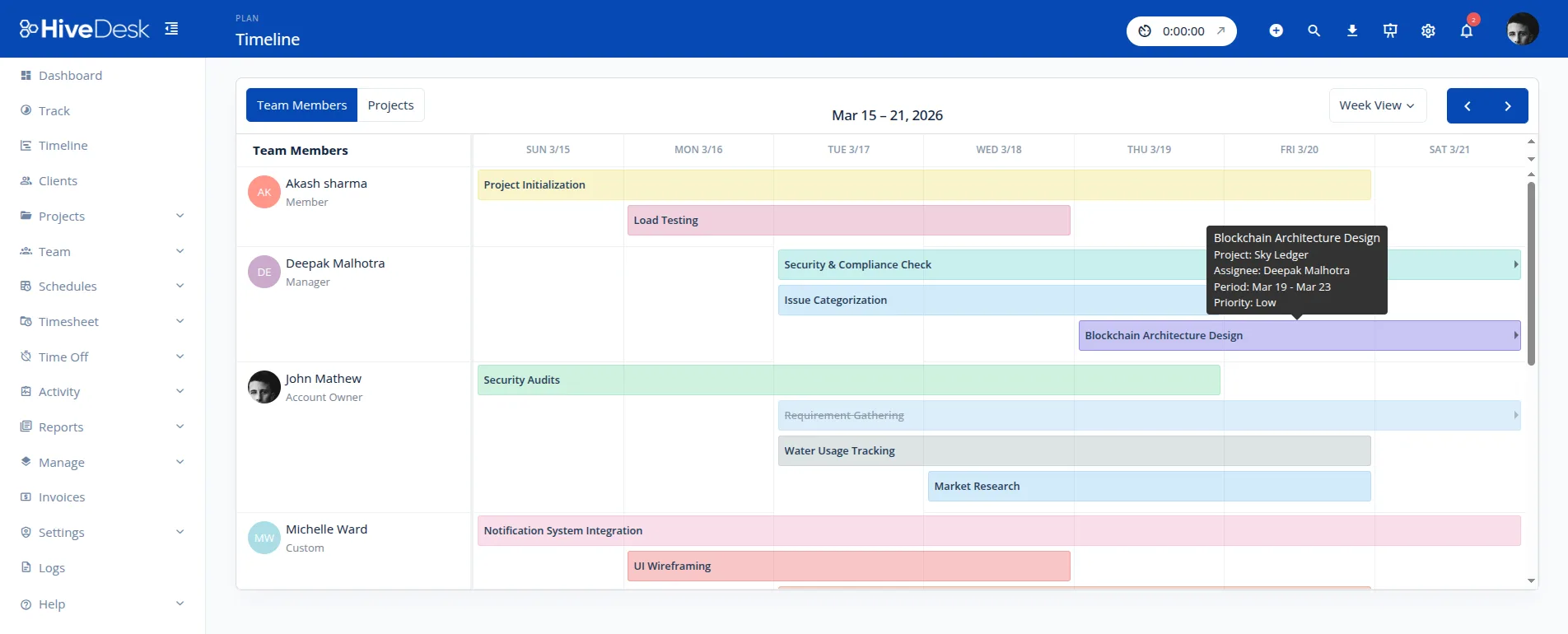
You Can't Improve What You Can't Measure
Without productivity data, managers rely on gut feeling. Projects go over budget. Some team members are overloaded while others are underutilized. And nobody knows where the hours actually went.
Without a productivity tracker
- No visibility into how employees spend their work hours
- Projects go over budget because time estimates are guesses
- Some team members are overloaded while others sit idle
- Remote employee productivity is a black box
- No data to have objective performance conversations
- Billable hours slip through the cracks
With HiveDesk productivity tracking
- See exactly where hours go — by task, project, and employee
- Real-time dashboards show who is working on what right now
- Activity levels and screenshots provide objective productivity data
- Identify bottlenecks and redistribute workloads with data
- Accurate time data for project costing and client billing
- Performance conversations backed by facts, not feelings
Up and Running in Under 10 Minutes
No complex onboarding. No training sessions. No IT department required.
Create your account
Sign up for a free trial. Add your projects, tasks, and team members.
Employees install the app
Desktop, mobile, or browser — employees choose their preferred device and start the timer.
Productivity data flows in
Time, activity levels, and screenshots are captured automatically. No manual input needed.
Review and optimize
Use dashboards, reports, and timesheets to identify patterns and improve team performance.
Activity Monitoring
Measure productivity without micromanaging
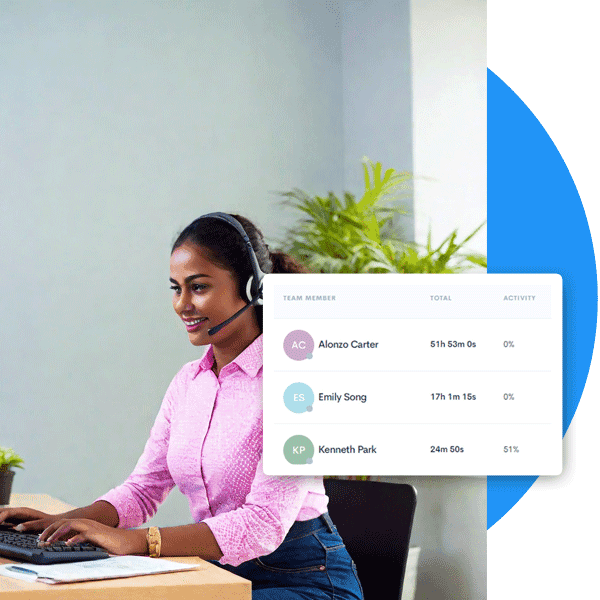
HiveDesk monitors keyboard and mouse activity to give you an objective measure of employee engagement during work hours. Activity data is displayed as a percentage alongside time tracked — so you can spot patterns and have informed conversations about productivity.
- Keyboard and mouse activity levels tracked automatically
- Activity percentages displayed alongside time records
- Identify inactive periods and work pattern trends
- Employees always know when monitoring is active
- Data for objective performance reviews, not surveillance
Screenshot Monitoring
Visual proof of work — without hovering
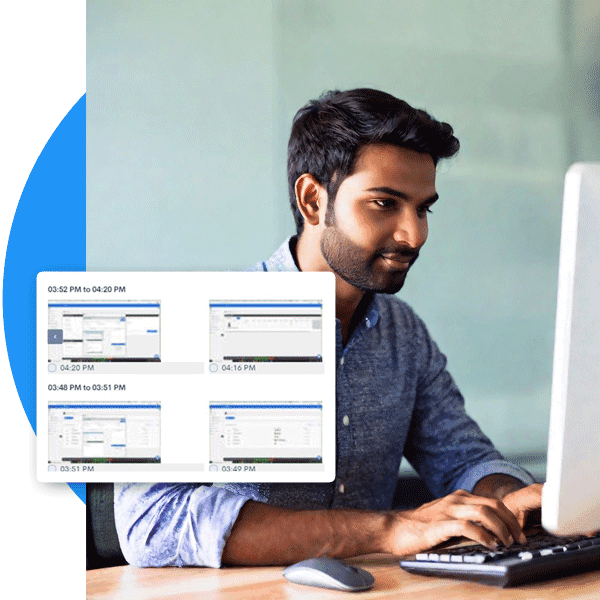
HiveDesk captures periodic screenshots at configurable intervals, giving you a visual record of work activity. Use screenshots to provide feedback, verify work quality, identify coaching opportunities, and share proof-of-work reports with clients.
- Automatic screenshots at intervals you configure
- Visual record of work for feedback and coaching
- PDF screenshot reports for client proof of work
- Employees can see their own screenshots
Project & Task Tracking
Know exactly how much time each project takes
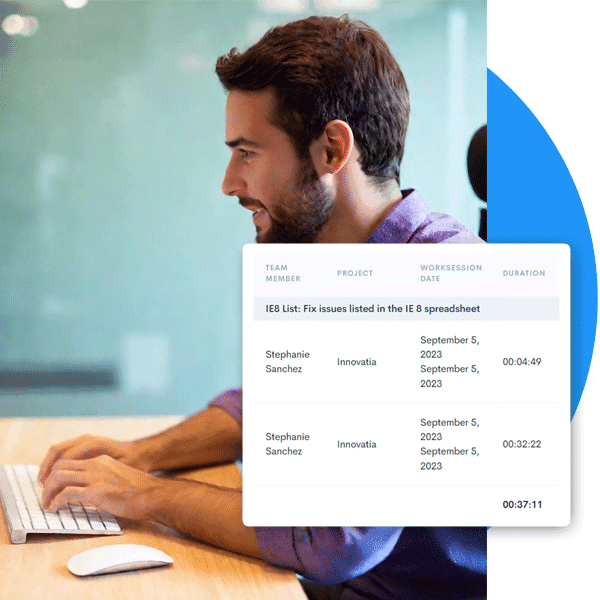
HiveDesk tracks time at the task and project level, so you know exactly where hours go. Use this data for project costing, resource allocation, client billing, and identifying which tasks take longer than expected. No more guessing whether a project is on budget.
- Time tracked by task, project, and client automatically
- See which projects are on budget and which are over
- Identify tasks that consistently take longer than estimated
- Redistribute workloads based on actual capacity data
More Than Just a Productivity Tracker
One plan. $5/user/month. Productivity tracking, time tracking, scheduling, attendance, leave management, screenshots, timesheets, and reporting — all included.
Automatic Time Tracking
One-click timer on desktop, mobile, and browser. Time is recorded by task, project, and client.
Activity Monitoring
Keyboard and mouse activity levels give you visibility into work patterns without micromanaging.
Employee Scheduling
Create and assign shifts. Track schedule adherence. See who is on time and who is late.
Timesheets & Approval
Auto-generated timesheets with a manager approval workflow. Export to PDF or Excel.
Attendance & Leave
Track attendance automatically. Manage time-off requests, approvals, and balances.
Real-Time Dashboards
See who is working, on what, and for how long. Drill into projects, tasks, and individual contributors.
Trusted by Teams Worldwide Since 2011
We have used every time tracking software under the sun, and they all fall short in some area that we need, but overall HiveDesk has met our needs. Their PDF screenshot reports are clean, easy to use and understand. Our clients prefer them over the complicated reports of other systems.
HiveDesk has been instrumental in helping us manage our remote team effectively. The automatic time tracking and screenshot features give us the visibility we need without micromanaging. Setup was straightforward and our team adopted it within a day.
Frequently Asked Questions
Everything you need to know about employee productivity tracking software.
A productivity tracker is software that monitors how employees spend their time during work hours. It records time spent on tasks and projects, tracks activity levels, and provides data managers can use to identify inefficiencies and optimize workloads. HiveDesk combines time tracking, activity monitoring, screenshots, and real-time dashboards to give you a complete picture of team productivity.
HiveDesk tracks productivity through automatic time tracking, activity monitoring, and periodic screenshots. Employees start a timer using the desktop app (Windows, macOS, Linux), mobile app (iOS), or Chrome extension. The software records hours by task and project, monitors keyboard and mouse activity levels, and captures screenshots at configurable intervals — giving managers a comprehensive view without manual input.
Yes, productivity tracking is legal in the United States and most countries when employees are informed and consent is obtained where required. HiveDesk operates transparently — employees always know when tracking is active. Screenshot frequency is configurable, and employees can see their own activity data. We recommend informing employees about tracking policies as part of onboarding.
For remote teams, a productivity tracker provides the same visibility managers have with in-office teams — without surveillance or micromanagement. HiveDesk shows who is working, on what tasks, and for how long. Managers can review timesheets, activity reports, and screenshots to stay informed without interrupting their team. The software works across Windows, macOS, Linux, iOS, and Chrome.
HiveDesk is designed for transparency, not surveillance. Employees see their own activity data and screenshots. Screenshot frequency is configurable — you can set it to once every 10 minutes or less frequently. The goal is accountability and fair workload distribution, not monitoring every keystroke. Most teams adopt HiveDesk within a day because it requires almost zero effort from employees.
HiveDesk costs $5 per user per month — one plan that includes every feature. No tiers, no hidden fees, no per-feature upsells. You get time tracking, activity monitoring, screenshots, scheduling, attendance, leave management, task tracking, timesheets, and reporting. There is a free 14-day trial with no credit card required.
Yes. HiveDesk tracks time at the task and project level, so you can see exactly how many hours each team member spends on each project or client. This data helps with resource allocation, project costing, and client billing. You can drill into individual contributors or view totals across the team.
HiveDesk provides real-time dashboards showing who is working and on what, timesheets broken down by employee, project, and task, activity reports with keyboard and mouse activity levels, screenshot reports with visual proof of work, and attendance reports with hours worked and time off. All reports can be exported as PDF or Excel.
HiveDesk combines productivity tracking with complete workforce management — scheduling, attendance, leave management, and timesheet approval — all for $5/user/month. Hubstaff charges $7-10+/user for comparable features and Time Doctor starts at $7/user. HiveDesk also includes employee scheduling and leave management that most competitors charge extra for or do not offer.
Yes. HiveDesk offers a 14-day free trial with full access to every feature. No credit card required. You can add your team, track time, review activity reports and screenshots, and test every feature before deciding.
Related Resources
Guides
Templates
Ready to Get Started?
Join teams worldwide who trust HiveDesk for workforce management, time tracking, and employee monitoring. $5/user/month, all features included.