

Employee Monitoring Software That Shows You Exactly What Your Team Is Working On
Automatic screenshots at configurable intervals. Keyboard and mouse activity tracking. PDF reports your clients actually trust. No keyloggers, no stealth mode, no surveillance theater. $5/user/month.
No credit card required · Works on Windows, macOS, Linux, iOS, Chrome
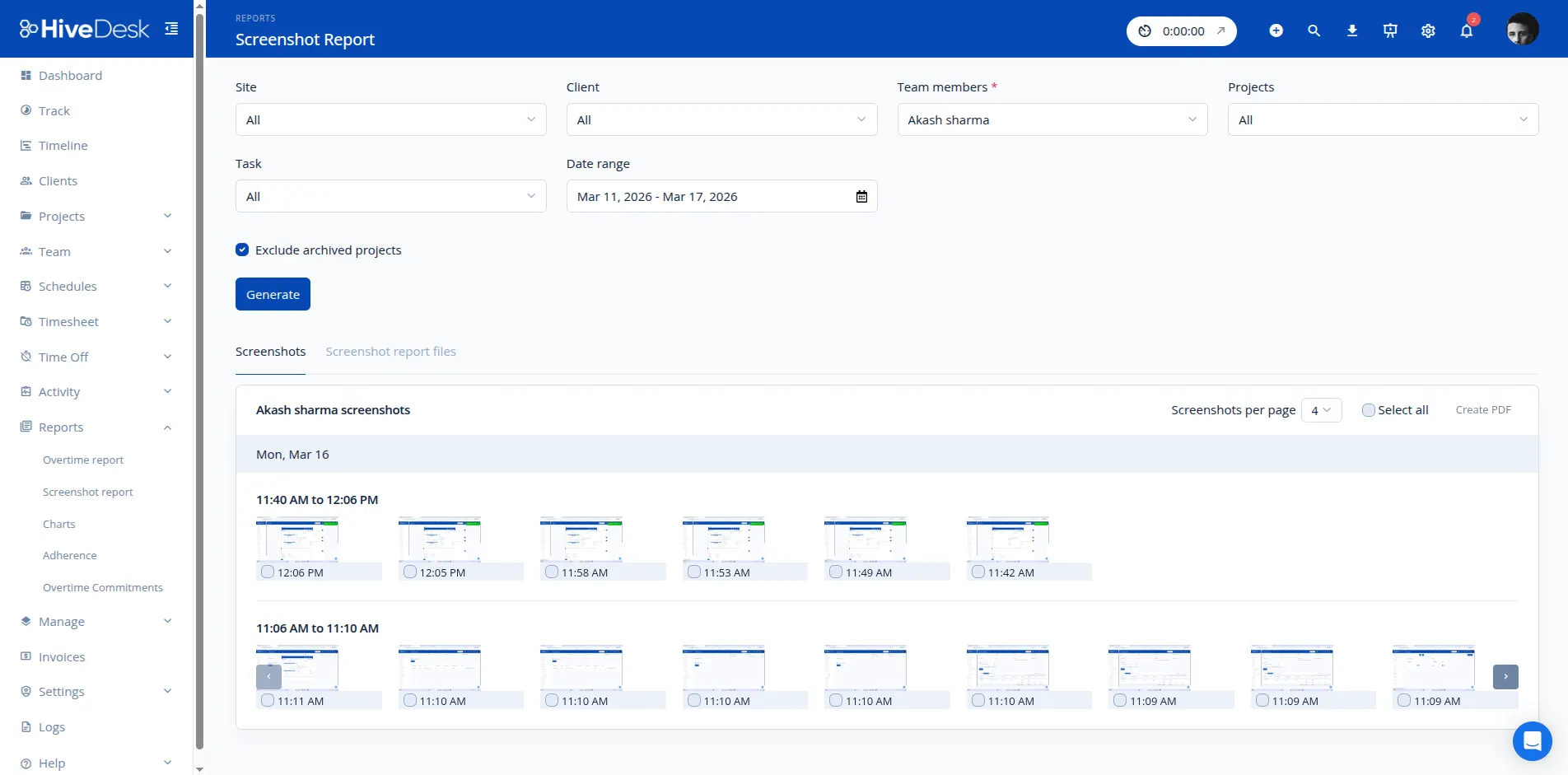
You Can't Manage What You Can't See
When employees work remotely or across time zones, managers lose visibility into how time is actually spent. Without monitoring, accountability gaps lead to missed deadlines, billing disputes, and productivity questions that no one can answer.
Without employee monitoring
- No way to verify what employees are actually working on
- Clients question billed hours with no proof to back them up
- Idle time goes undetected — you pay for hours not worked
- Managers rely on self-reported updates that may not be accurate
- Productivity issues surface only after deadlines are missed
- No data to identify training needs or workflow bottlenecks
With HiveDesk monitoring
- Screenshots show exactly what employees are working on
- PDF screenshot reports give clients verifiable proof of work
- Activity levels reveal engagement during tracked hours
- Real-time dashboards show who is online and active right now
- Spot productivity issues early with data, not guesswork
- Use screenshots to identify process problems and provide feedback
How Screenshot Monitoring Works
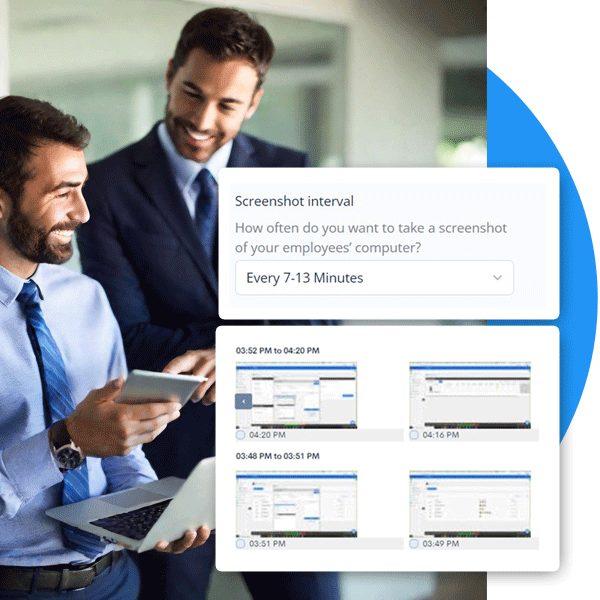
Automatic screenshots captured at random intervals during work sessions. Configurable frequency. No stealth mode. Full transparency.
6 configurable interval options
Set the screenshot frequency per project in Project Settings. Each interval uses a randomized range so employees cannot predict the exact capture time.
What you get from screenshots
Visual proof of work
See the actual screen content during work hours — applications, documents, spreadsheets, whatever the employee is working on.
Process feedback
Identify if employees are using the right tools, following correct workflows, or struggling with software.
PDF reports for clients
Export clean, timestamped screenshot reports as PDFs. Share directly with clients as proof of work completed.
Accountability without micromanagement
Screenshots create natural accountability. Employees stay focused knowing their work is being documented.
Activity Monitoring
Keyboard and Mouse Activity Tracking
HiveDesk monitors keyboard and mouse activity levels to show how engaged employees are during tracked time. This is not a keylogger — HiveDesk does not capture what is typed. It measures whether the keyboard and mouse are being used, then calculates an activity percentage for each work session.
- Activity levels show engagement as a percentage of tracked time
- Idle periods are detected and flagged in activity reports
- Activity data is paired with screenshots for full context
- Reports show activity trends by employee, day, and project
- Inactive time is separated from active work — no inflated hours
Privacy note: HiveDesk tracks activity levels, not activity content. It does not record what you type, which websites you visit, which apps you open, or your browser history. The only visual data captured is periodic screenshots at the interval you configure.

Screenshot Reports
Screenshots as Proof of Work for Client Billing
When you bill clients by the hour, trust is the foundation of the relationship. HiveDesk generates PDF screenshot reports that show exactly what your team worked on and when. Clients see timestamped screenshots alongside hours billed — eliminating disputes and building confidence in your invoicing.
- PDF screenshot reports with timestamps and activity data
- Clean, professional format that clients prefer over complex dashboards
- Attach reports to invoices as verifiable proof of work
- Reduce billing disputes with visual evidence of hours worked
- Staffing agencies and BPOs use this for client accountability

HiveDesk vs. Other Employee Monitoring Software
HiveDesk focuses on transparent screenshot monitoring and activity tracking. No surveillance features, no bloated pricing. Compare the monitoring capabilities that matter.
| HiveDesk | Hubstaff | ActivTrak | Teramind | |
|---|---|---|---|---|
| Periodic screenshots | Yes — 6 interval options | Yes | Yes | Yes |
| Screenshot interval control | Yes — 4 min to 63 min | Yes — 1x to 3x per 10 min | Limited | Yes |
| Keyboard/mouse activity levels | Yes — activity percentage | Yes | Yes | Yes |
| Keystroke logging | No — privacy first | No | No | Yes |
| App & URL tracking | No | Yes | Yes | Yes |
| Stealth/hidden mode | No — always transparent | No | Yes | Yes |
| PDF screenshot reports | Yes — client-ready | Limited | No | No |
| Employee scheduling | Yes — included | No | No | No |
| Timesheet approval | Yes — included | Yes | No | No |
| Price (per user/month) | $5 — all features | $7–$10+ | $10+ | $15–$25+ |
HiveDesk is built for businesses that need accountability and proof of work — not insider threat detection. If you need app tracking, keystroke logging, or DLP, consider Hubstaff or Teramind. If you need transparent screenshot monitoring with PDF reports at $5/user/month, HiveDesk is built for that.
More Than Just Monitoring
Screenshots and activity tracking are part of a complete workforce management platform. One plan. $5/user/month. Every feature included.
Automatic Time Tracking
One-click timer on desktop, mobile, and browser. Time recorded by task, project, and client automatically.
Employee Scheduling
Create and assign shifts. Track schedule adherence. Manage shift swaps and coverage gaps.
Timesheets & Approval
Auto-generated timesheets with a manager approval workflow. Export to PDF or Excel for payroll.
Attendance & Leave
Track attendance automatically from clock-in data. Manage time-off requests, approvals, and balances.
Real-Time Dashboards
See who is working, on what, and for how long — right now. Drill into projects, tasks, and individual contributors.
Task & Project Tracking
Create and assign tasks. Track time by task for accurate project costing and client billing.
Trusted by Teams Across 6 Continents Since 2011
We have used every time tracking software under the sun, and they all fall short in some area that we need, but overall HiveDesk has met our needs. Their PDF screenshot reports are clean, easy to use and understand. Our clients prefer them over the complicated reports of other systems.
In today's world, remote work is a given. We use this software to handle those challenges. We tried a lot of the competitors and for many reasons HiveDesk won. Plus, the team loves their support. Fast and attentive. We love HiveDesk. It allows us to track people's use and find areas of weakness. Their price level is perfect for us, and we love their reporting.
Frequently Asked Questions
Common questions about employee monitoring software, screenshot tracking, and activity monitoring.
Employee monitoring software tracks work activity during business hours to improve accountability, productivity, and billing accuracy. HiveDesk monitors activity through automatic screenshots and keyboard/mouse activity levels — not keystrokes, emails, or browsing history. Employees always know when monitoring is active.
HiveDesk captures screenshots of the employee's screen at configurable intervals. There are six interval options ranging from 4-10 minutes to 57-63 minutes. Each interval includes a randomized range so employees cannot predict the exact capture time. Screenshots are stored in the dashboard and can be exported as PDF reports for clients or internal review.
In addition to screenshots, HiveDesk tracks keyboard and mouse activity levels — how actively the employee is using their computer during work hours. It also tracks time by task and project, attendance, and generates timesheets. HiveDesk does not track app usage, browser history, or the content of keystrokes.
No. HiveDesk monitors keyboard activity levels — meaning it tracks whether the keyboard is being used, not what is being typed. It does not capture keystroke content, passwords, or any text input. The activity level data is used to calculate how actively an employee is working during tracked time.
No. HiveDesk does not track which websites employees visit or which applications they use. Monitoring is limited to periodic screenshots and keyboard/mouse activity levels. If you need app and URL tracking, tools like Hubstaff or Time Doctor offer those features.
Yes. HiveDesk operates transparently — employees always know when monitoring is active. There is no stealth mode or hidden tracking. The desktop app shows a running timer and employees are aware that screenshots are being captured. This transparency builds trust while maintaining accountability.
Yes. HiveDesk generates PDF screenshot reports that show what employees worked on and when. Many staffing agencies and BPOs use these reports as proof of work for client invoicing. Clients can see the screenshots alongside time entries, giving them confidence in the hours being billed.
HiveDesk costs $5 per user per month — one plan that includes all features. Screenshots, activity tracking, time tracking, timesheets, scheduling, attendance, and leave management are all included. No tiers, no add-ons. There is a 14-day free trial with no credit card required.
Employee monitoring is legal in the United States and most countries when employers inform employees about the monitoring. Laws vary by jurisdiction, so check local regulations. HiveDesk supports compliance by operating transparently — employees always know when tracking is active and what data is being collected.
HiveDesk has native desktop apps for Windows, macOS, and Linux — all with screenshot capture and activity tracking. There is also an iOS mobile app and a Chrome browser extension. Screenshots are captured on desktop apps where the employee's screen is visible.
Yes. Screenshot frequency is configurable at the project level. You can set the interval that makes sense for each project, or disable screenshots entirely for projects that only need time tracking. This gives you flexibility to match the monitoring level to the work being done.
HiveDesk is built for accountability and productivity — not deep surveillance. It captures periodic screenshots and activity levels. It does not log keystrokes, record screens continuously, monitor email or chat, track browser history, or operate in stealth mode. If you need DLP or insider threat detection, HiveDesk is not the right tool. If you need transparent monitoring at $5/user/month, it is.
Related Resources
Guides
Templates
Ready to Get Started?
Join teams worldwide who trust HiveDesk for workforce management, time tracking, and employee monitoring. $5/user/month, all features included.