

Workforce Management Software for Remote Teams
Time tracking, employee scheduling, attendance, activity monitoring, and timesheets in one affordable platform. Built for small to mid-size businesses that need visibility into how their remote teams work.
No credit card required · 14-day free trial · $5/user/month
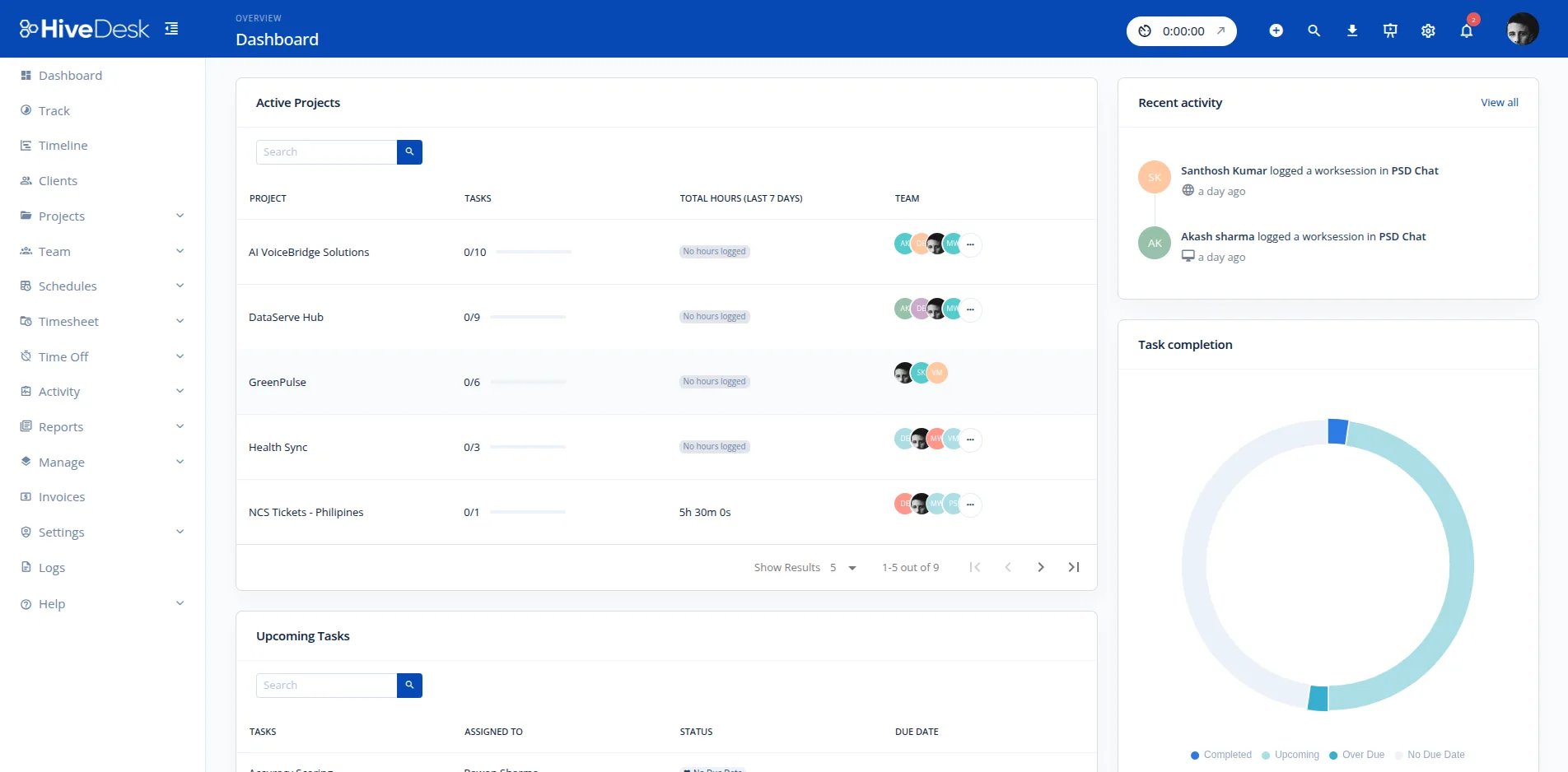
What You Get with HiveDesk WFM
Everything you need to manage your workforce in one platform. No add-ons, no hidden costs.
Time Tracking
Automatic time tracking with desktop, mobile, browser, and Chrome extension apps. Employees check in and time is recorded by task, project, and client.
Activity Monitoring
Periodic screenshots with transparent notification so employees know when monitoring is active. Configurable frequency and privacy controls.
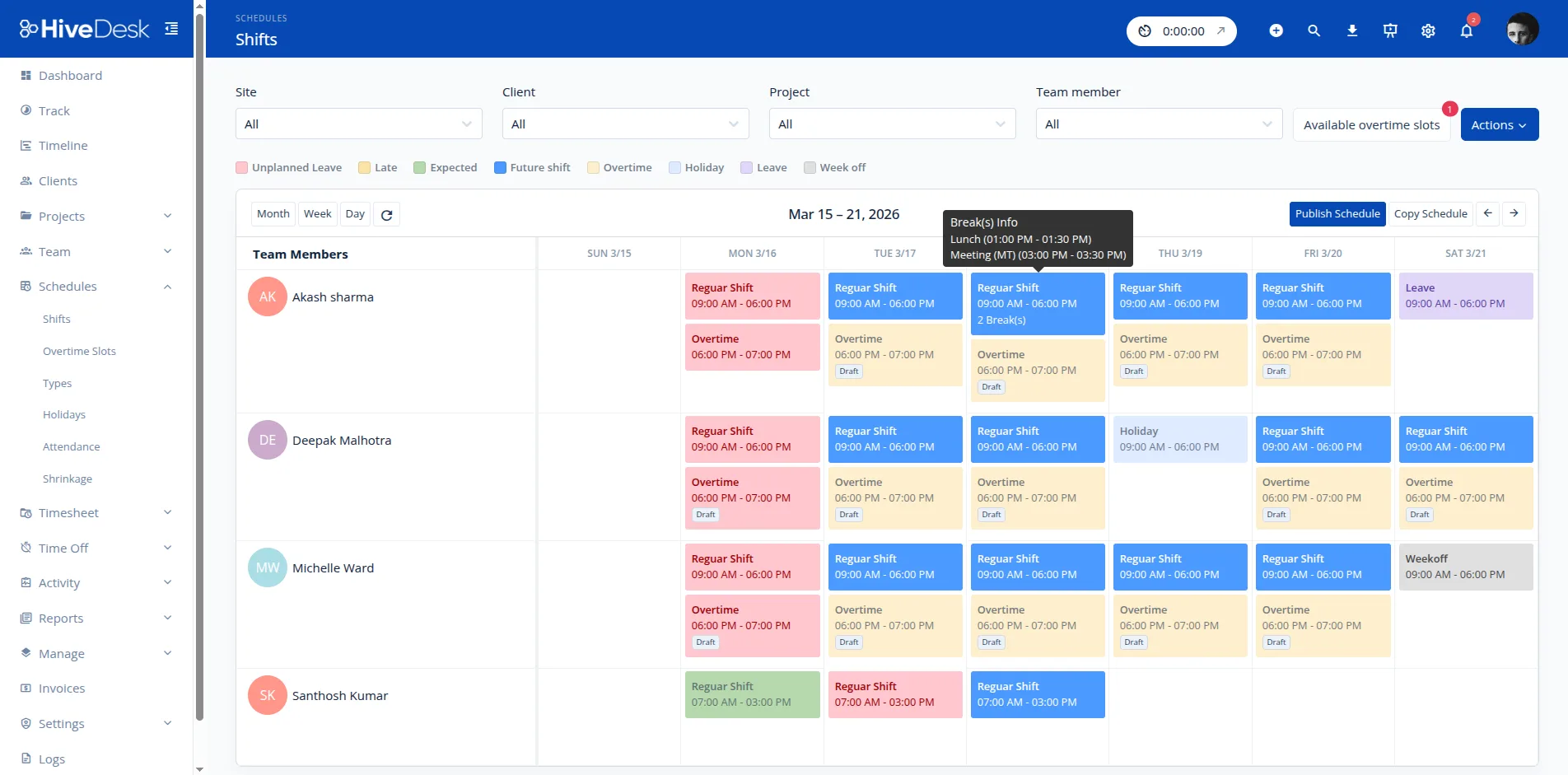
Employee Scheduling
Create shifts, assign employees, and manage availability. Build weekly or monthly schedules and share them with your team.
Attendance Management
Track clock-in and clock-out times, monitor breaks, and get alerts for absences. Know who is working and who is not, in real time.
Timesheets
Auto-generated timesheets from tracked time. Managers review and approve before exporting as PDF or Excel for payroll.
Real-time Dashboards
See who is working, on what task, and for how long. Get a live overview of your entire team from a single dashboard.
How It Works
Get your team up and running in minutes with a simple four-step process.
Add your team and projects
Sign up, create projects, and invite employees. Setup takes minutes, not months.
Employees track time automatically
Team members start the timer using the desktop, mobile, browser, or Chrome app. Time is captured automatically.
Monitor activity and manage schedules
View screenshots, track attendance, create shift schedules, and manage leave requests from your dashboard.
Review timesheets and generate reports
Approve timesheets, export data for payroll, and generate client billing reports.
Who Uses HiveDesk
Trusted by teams across 6 continents since 2011.
Contact Centers & Call Centers
Track agent time, monitor activity, and manage shift schedules for in-house and remote contact center teams.
Learn more →BPO Operations
Manage distributed BPO teams with time tracking, screenshots, and attendance monitoring across locations and time zones.
Learn more →Remote & Hybrid Teams
Get visibility into how remote employees spend their time. Track hours, monitor activity, and manage schedules from anywhere.
Learn more →Agencies & Consultancies
Track billable hours by client and project. Generate accurate timesheets for invoicing and payroll.
Learn more →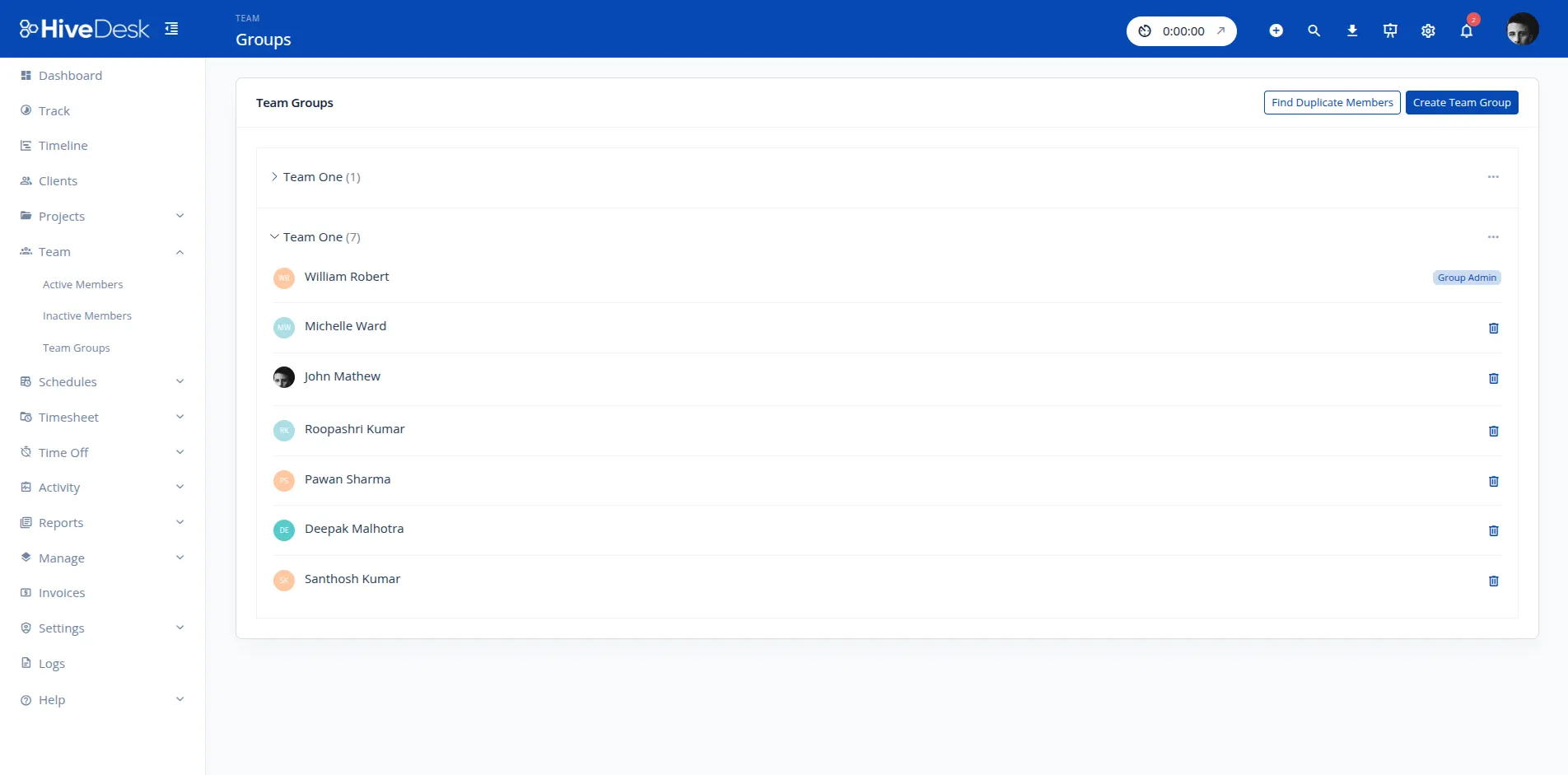
All Features Included at $5/User/Month
One plan, one price. Every feature below is included for every user.
Automatic Time Tracking
Track employee hours automatically with desktop, mobile, browser, and Chrome extension apps. Time is recorded by task, project, and client.
Activity Monitoring with Screenshots
Capture periodic screenshots to verify activity. Employees are notified when monitoring is active, ensuring transparency and trust.
Employee Scheduling
Create and manage shift schedules, assign employees to shifts, and handle availability. Share schedules with your team instantly.
Attendance Management
Track clock-in/clock-out times, monitor break compliance, and receive absence alerts. Get a clear picture of daily attendance.
Leave Management
Handle time-off requests with approval workflows. Track leave balances, accruals, and ensure adequate staffing coverage.
Timesheet Management
Auto-generated timesheets with a built-in approval workflow. Export approved timesheets as PDF or Excel for payroll processing.
Real-time Dashboards
See who is working, on which tasks, and for how long. Monitor your entire team from a single live dashboard.
Project & Task Management
Create projects, assign tasks to team members, track time by project, and monitor progress toward completion.
Overtime Management
Track overtime hours automatically. Get alerts when employees approach overtime thresholds to help maintain FLSA compliance.
Client Billing
Track billable hours by client and project. Generate time reports that make invoicing accurate and transparent.
Why Teams Choose HiveDesk Over Enterprise WFM
HiveDesk is not NICE or Verint. It is the simple, affordable alternative for teams that need workforce management without the complexity and cost of enterprise platforms.
| HiveDesk | Enterprise WFM | |
|---|---|---|
| Pricing | $5/user/month | $15–50/user/month |
| Setup time | Minutes | Weeks to months |
| Complexity | Simple, self-service | Requires dedicated WFM team |
| Best for | SMBs and remote teams | 1,000+ seat contact centers |
| Time tracking | Built-in automatic tracking | Often separate or add-on |
| Activity monitoring | Built-in screenshots | Often separate or add-on |
| Demand forecasting | Not included | Built-in with AI |
| Scheduling | Basic shift scheduling | AI-powered optimization |
| Contract | Month-to-month, cancel anytime | Annual contracts typical |
Need demand forecasting or AI-powered scheduling? Enterprise WFM tools may be a better fit. Need reliable time tracking, scheduling, monitoring, and timesheets at a price that makes sense? That is what HiveDesk does well.
Related Resources
Free tools, templates, and guides to help you manage your workforce.
What Is Workforce Management Software
Workforce management (WFM) software is a category of tools that helps businesses plan, schedule, track, and manage their employees across the full lifecycle of a work shift.
At its core, WFM software brings together several operational functions into a single platform: demand forecasting and capacity planning, shift scheduling and assignment, time tracking and attendance monitoring, schedule adherence and compliance, and performance analytics and reporting. The goal is to ensure the right number of people are working at the right times, and that the hours they work are accurately recorded for payroll, billing, and compliance.
Enterprise WFM platforms like NICE, Verint, and Calabrio are built for large contact centers with 1,000 or more seats. They include AI-powered demand forecasting, Erlang C-based staffing models, intraday management, and automated schedule optimization. These tools require dedicated WFM analysts to operate and typically cost $15 to $50 or more per user per month.
For small to mid-size businesses, the complexity and cost of enterprise WFM is often a poor fit. Tools like HiveDesk focus on the operational essentials that most teams actually need: automatic time tracking across desktop and mobile, employee shift scheduling with attendance monitoring, activity verification through periodic screenshots, leave management with approval workflows, and auto-generated timesheets for payroll and billing. HiveDesk does not include AI-powered forecasting or automated schedule optimization. Instead, it gives managers straightforward tools to build schedules, track time, and verify that employees are working when they are supposed to be.
How to Choose Workforce Management Software
The right WFM tool depends on your team size, work model, and operational complexity. Here are the key criteria to evaluate.
Team size and growth trajectory. Enterprise WFM platforms are designed for organizations with hundreds or thousands of employees. If your team is under 500 people, you likely do not need Erlang-based staffing models or intraday management. A simpler tool with scheduling, time tracking, and attendance will cover your needs at a fraction of the cost.
Remote, hybrid, or on-site. If your team works remotely, you need a platform with desktop and mobile time tracking apps, activity monitoring, and real-time dashboards. On-site teams may prioritize clock-in kiosks or badge integration. Make sure the tool supports your actual work model.
Channels and roles supported. Contact centers need shift scheduling that handles rotating patterns, split shifts, and multi-skill routing. Professional services firms need project-based time tracking with client billing. Evaluate whether the tool fits your specific operational workflow.
Integration requirements. Consider what tools your team already uses. Do you need integration with your ACD, CRM, payroll system, or project management tool? HiveDesk integrates with Asana and exports timesheets as Excel or CSV for payroll. Enterprise tools typically offer broader integration ecosystems.
Forecasting needs. If you need to predict call volumes, calculate staffing requirements, or run what-if scenarios, you need an enterprise WFM platform with built-in forecasting. If you create schedules manually based on known demand patterns, a simpler scheduling tool will suffice.
Budget and total cost of ownership. Compare not just the per-user price, but implementation costs, training time, and ongoing administration. Enterprise WFM tools often require a dedicated WFM team. Simpler tools like HiveDesk at $5/user/month can be set up in minutes with no specialized training.
Guides and Resources
In-depth guides on workforce management, scheduling, and remote team operations.
- How to Build a Remote Contact Center
Step-by-step guide to setting up and managing a remote contact center operation.
- Contact Center Technology Stack
The essential tools and platforms every contact center needs to operate effectively.
- Managing Offshore CX Teams
Best practices for managing customer experience teams across time zones and geographies.
- Shift Rotation Patterns: Complete Guide
An overview of common shift rotation patterns and how to choose the right one for your team.
- Attendance Tracking Without Micromanagement
How to maintain accountability and track attendance without creating a surveillance culture.
- Seasonal Volume Spikes in Contact Centers
Strategies for handling seasonal demand increases without overstaffing or burning out your team.
Frequently Asked Questions
Common questions about workforce management software.
Workforce management (WFM) software helps businesses plan, track, and manage their employees’ time, schedules, attendance, and productivity. It brings together tools like time tracking, scheduling, attendance management, and timesheets into a single platform, giving managers visibility into how their team operates.
HiveDesk includes automatic time tracking (desktop, mobile, browser, Chrome extension), activity monitoring with periodic screenshots, employee scheduling, attendance management with clock-in/clock-out, leave management with approval workflows, auto-generated timesheets, real-time dashboards, project and task management, overtime tracking, and client billing reports.
HiveDesk is built for small to mid-size businesses and remote teams. It’s simple to set up (minutes, not months), costs $5/user/month with no long-term contracts, and includes time tracking, monitoring, and scheduling in one tool. Enterprise WFM platforms like NICE and Verint are designed for 1,000+ seat contact centers and include AI-powered forecasting and optimization that HiveDesk does not offer.
No. HiveDesk does not include demand forecasting, Erlang C calculations, or AI-powered schedule optimization. If you need call volume forecasting, you can use our free Erlang C calculator at /calculators/erlang-c-calculator-for-call-centers. HiveDesk focuses on straightforward shift scheduling, time tracking, and activity monitoring.
HiveDesk works on Windows, macOS, Linux, iOS, and Chrome. The desktop app tracks time and captures screenshots. The mobile app tracks time and GPS location. The Chrome extension and web app allow time tracking from any browser.
HiveDesk costs $5 per user per month. There is a single plan that includes all features — no tiers, no add-ons, no hidden costs. Every feature listed on this page is included in that price.
Yes. HiveDesk offers a 14-day free trial with no credit card required. You get access to all features during the trial so you can evaluate the full product before committing.
HiveDesk integrates with Asana for project and task management. You can track time directly on Asana tasks. Timesheet data can be exported as Excel or CSV for use with your existing payroll software.
HiveDesk is best suited for small to mid-size businesses with remote or hybrid teams. It’s popular with contact centers, BPO operations, marketing agencies, consulting firms, staffing companies, and IT support teams. If you need simple, affordable workforce management without the complexity of enterprise tools, HiveDesk is a good fit.
Sign up for a free trial at app.hivedesk.com/freetrial. Create your account, add projects, invite employees, and start tracking time in minutes. No implementation project or dedicated WFM team required.
Ready to Get Started?
Join teams worldwide who trust HiveDesk for workforce management, time tracking, and employee monitoring. $5/user/month, all features included.