

Replace Punch Cards and Paper Timesheets with One App
Your employees clock in with a single click. HiveDesk records hours by task and project, takes periodic screenshots, tracks attendance, and generates timesheets — ready for payroll or client billing. All for $5/user/month.
No credit card required · Set up in under 10 minutes · Works on Windows, macOS, Linux, iOS, Chrome

Paper Timesheets and Punch Cards Are Costing You Money
Manual time tracking — whether it is paper punch cards, sign-in sheets, or spreadsheets emailed every Friday — leads to inaccurate data, payroll errors, billing disputes, and zero visibility into how your team actually works.
Without a time clock app
- Employees round up hours or forget to log time entirely
- Buddy punching inflates labor costs with no way to verify
- Managers waste hours chasing people for timesheets every pay period
- Payroll errors lead to overpayments, disputes, and compliance risk
- No visibility into remote or distributed employee activity
- Paper records get lost, damaged, or fail audits
With HiveDesk time clock app
- Time is captured automatically — no manual entries or paper forms
- Screenshots verify the right person is at the keyboard
- Timesheets are generated and ready for manager approval
- Payroll data is accurate and exportable in one click
- Real-time dashboards show who is clocked in and working
- Digital records are always audit-ready and never get lost
Up and Running in Under 10 Minutes
No complex onboarding. No training sessions. No IT department required.
Create your account
Sign up for a free trial. Add your projects, tasks, and team members.
Employees install the app
Desktop, mobile, or browser — employees choose their preferred device and clock in.
Time is tracked automatically
Hours are recorded by task and project. Screenshots capture activity. Attendance is logged.
Review and export
Approve timesheets, review dashboards, and export data for payroll or client billing.
Labor Law Compliance
Stay compliant without the paperwork
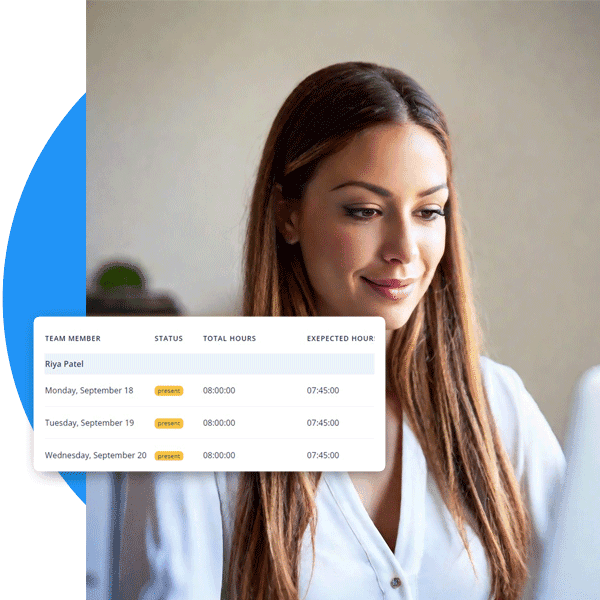
The FLSA requires employers to keep accurate records of hours worked. State laws add overtime rules, break requirements, and record retention mandates. A time clock app like HiveDesk captures this data automatically — so your records are always audit-ready without filing cabinets full of paper timesheets.
- Accurate daily and weekly hour records for every employee
- Overtime hours tracked and flagged automatically
- Break time monitoring for shift workers and contact centers
- Attendance and time-off records maintained continuously
- Data exports for any audit or compliance review
Accurate Client Billing
Bill clients with proof, not promises
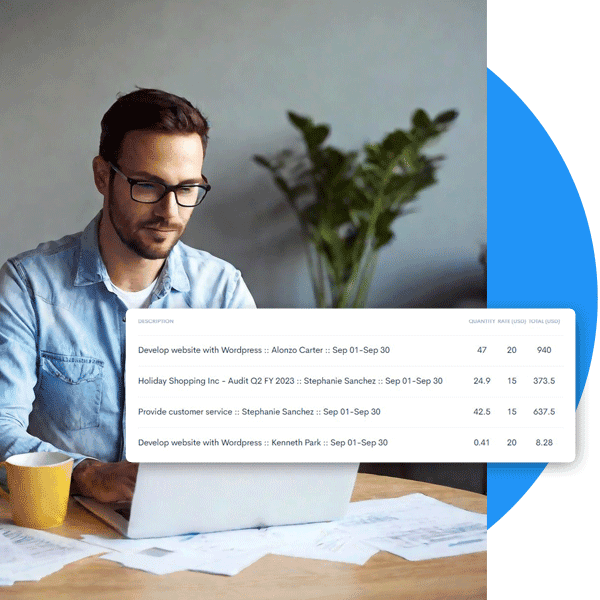
When you bill by the hour, trust is everything. HiveDesk gives you verified time records backed by screenshot reports that clients can review. No more billing disputes. No more revenue leakage from hours that never got logged on a paper timesheet.
- Track billable and non-billable hours by client and project
- Share screenshot reports as proof of work completed
- Eliminate revenue leakage from forgotten or unlogged hours
- Generate client-ready reports in PDF or Excel
Payroll Processing
From clock-in to payroll in minutes
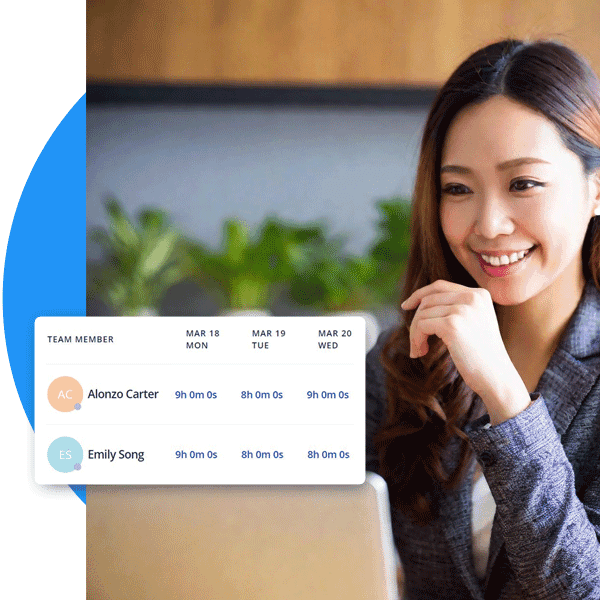
Stop manually calculating hours, overtime, and time-off balances from paper timesheets. HiveDesk combines time clock data with attendance and leave records, generates timesheets, runs them through a manager approval workflow, and exports clean data for your payroll software.
- Auto-generated timesheets with built-in approval workflow
- Overtime, attendance, and time-off data in one place
- Export approved timesheets as Excel for any payroll software
- Eliminate manual calculations and payroll errors
HiveDesk vs. Other Time Clock Apps
Most time clock apps are basic punch-in/punch-out tools. HiveDesk gives you workforce management — scheduling, attendance, leave, activity monitoring, and project tracking — all included at $5/user/month.
| HiveDesk | Homebase | Buddy Punch | When I Work | |
|---|---|---|---|---|
| One-click clock in/out | Yes — desktop, mobile, browser | Yes | Yes | Yes |
| Screenshot monitoring | Yes — configurable frequency | No | No | No |
| Employee scheduling | Yes — shift creation & adherence | Yes | No | Yes |
| Attendance management | Yes — automatic from clock-in | Limited | Yes | Limited |
| Leave/time-off management | Yes — requests & approvals | Yes (paid) | Yes | Yes (paid) |
| Timesheet approval workflow | Yes — manager review & approve | Yes (paid) | Yes | No |
| Task & project tracking | Yes — with time by task | No | No | No |
| GPS location tracking | Yes — iOS mobile app | Yes | Yes | Yes |
| Desktop app (Win/Mac/Linux) | Yes — all three platforms | No | No | No |
| Price (per user/month) | $5 — all features | $20–$80/mo base | $4.99/user + base | $2.50–$8/user |
A Time Clock App for Every Industry
Teams across 6 continents use HiveDesk to replace paper timesheets, track hours accurately, and simplify payroll.
Contact Centers & BPOs
Track agent hours across shifts, monitor schedule adherence, and generate accurate timesheets for billing clients.
Marketing Agencies
Track billable hours by client and project. Know exactly how much time each campaign takes and bill accordingly.
IT & Customer Support
Monitor support team productivity, track ticket resolution time, and ensure coverage with real-time dashboards.
Professional Services
Attorneys, accountants, architects, and consultants — track every billable minute and eliminate revenue leakage.
Staffing Agencies
Track contractor hours across multiple client sites. Generate verified timesheets that clients trust.
Remote & Hybrid Teams
Get the same visibility into remote employee work that you have with in-office teams — without surveillance.
More Than Just a Time Clock
One plan. $5/user/month. Every feature included.
Automatic Time Tracking
One-click timer on desktop, mobile, and browser. No manual entries. Time is recorded by task, project, and client.
Employee Scheduling
Create and assign shifts. Employees see their schedules. Track schedule adherence in real time.
Activity Monitoring
Periodic screenshots and activity levels give you visibility without micromanaging. Employees always know when tracking is active.
Timesheets & Approval
Auto-generated timesheets with a manager approval workflow. Export to PDF or Excel for payroll.
Attendance & Leave
Track attendance automatically from clock-in data. Manage time-off requests, approvals, and balances.
Real-Time Dashboards
See who is clocked in, on what task, and for how long. Drill into projects, tasks, and individual contributors.
Trusted by Teams Worldwide Since 2011
We have used every time tracking software under the sun, and they all fall short in some area that we need, but overall HiveDesk has met our needs. Their PDF screenshot reports are clean, easy to use and understand. Our clients prefer them over the complicated reports of other systems.
One of the first employee tracking software I ever used and I compare all the latest programs to HiveDesk. It is a definite contender in this space. Easy to use as the most important thing for time tracking is making sure that the program keeps track at a click of a button.
Frequently Asked Questions
Everything you need to know about time clock apps.
A time clock app is a digital replacement for physical punch clocks, paper timesheets, and spreadsheet-based time tracking. Employees clock in and out from their computer or phone, and the app automatically records hours worked, breaks taken, and overtime accrued. The data flows into timesheets that managers can review, approve, and export for payroll.
HiveDesk costs $5 per user per month — one plan that includes every feature. There are no tiers, no hidden fees, and no per-feature upsells. Competitors like Homebase charge $20–$80/month for their paid plans, Buddy Punch starts at $4.99/user plus a base fee, and When I Work charges $2.50–$8/user but does not include activity monitoring or screenshots. HiveDesk offers a 14-day free trial with no credit card required.
Some time clock apps offer free tiers, but they typically limit the number of users, exclude features like screenshot monitoring and timesheet approvals, or show ads. HiveDesk does not have a permanent free plan, but the 14-day free trial gives you full access to every feature — time tracking, screenshots, scheduling, attendance, leave management, and reporting — so you can evaluate the entire platform before committing.
The best time clock app for a small business depends on your needs. If you need a simple timer, many tools will work. If you need workforce management — time tracking, employee scheduling, attendance tracking, leave management, activity monitoring, and timesheets — in a single affordable platform, HiveDesk offers all of these for $5/user/month with no base fee and no feature restrictions.
Yes. HiveDesk has an iOS mobile app that lets employees clock in and out from their phone. The mobile app also supports GPS location tracking, which is useful for field workers and remote employees. Time tracked on mobile syncs with the same dashboard as desktop and browser data.
Buddy punching — where one employee clocks in for another — is a common problem with physical punch clocks. HiveDesk eliminates this by tying time tracking to individual user accounts on personal devices. The desktop app takes periodic screenshots during work sessions, providing a verifiable record that the correct person was at the keyboard.
Yes. HiveDesk is built for remote and distributed teams. Employees track time from wherever they work using the desktop app (Windows, macOS, Linux), mobile app (iOS), or Chrome browser extension. Managers see real-time dashboards showing who is online, what they are working on, and how long they have been active — regardless of location.
Yes. The Fair Labor Standards Act (FLSA) requires employers to maintain accurate records of hours worked. Many state laws add requirements for overtime tracking, break monitoring, and record retention. A time clock app like HiveDesk captures this data automatically, so your records are always audit-ready without manual paperwork.
HiveDesk automatically generates timesheets from clock-in and clock-out data. Timesheets show hours worked by employee, project, and task — including overtime. Managers review and approve timesheets through a built-in workflow, then export approved data as PDF or Excel for payroll processing or client billing.
HiveDesk has native apps for Windows, macOS, and Linux desktops, an iOS mobile app with GPS tracking, a Chrome browser extension, and a web dashboard accessible from any browser. Employees can clock in from whatever device they prefer, and all data syncs to the same centralized dashboard.
See also: Clock in clock out app for remote teams · Best employee time clock software compared.
Related Resources
Guides
Templates
Ready to Get Started?
Join teams worldwide who trust HiveDesk for workforce management, time tracking, and employee monitoring. $5/user/month, all features included.