

See Who Is Working, On What, Right Now
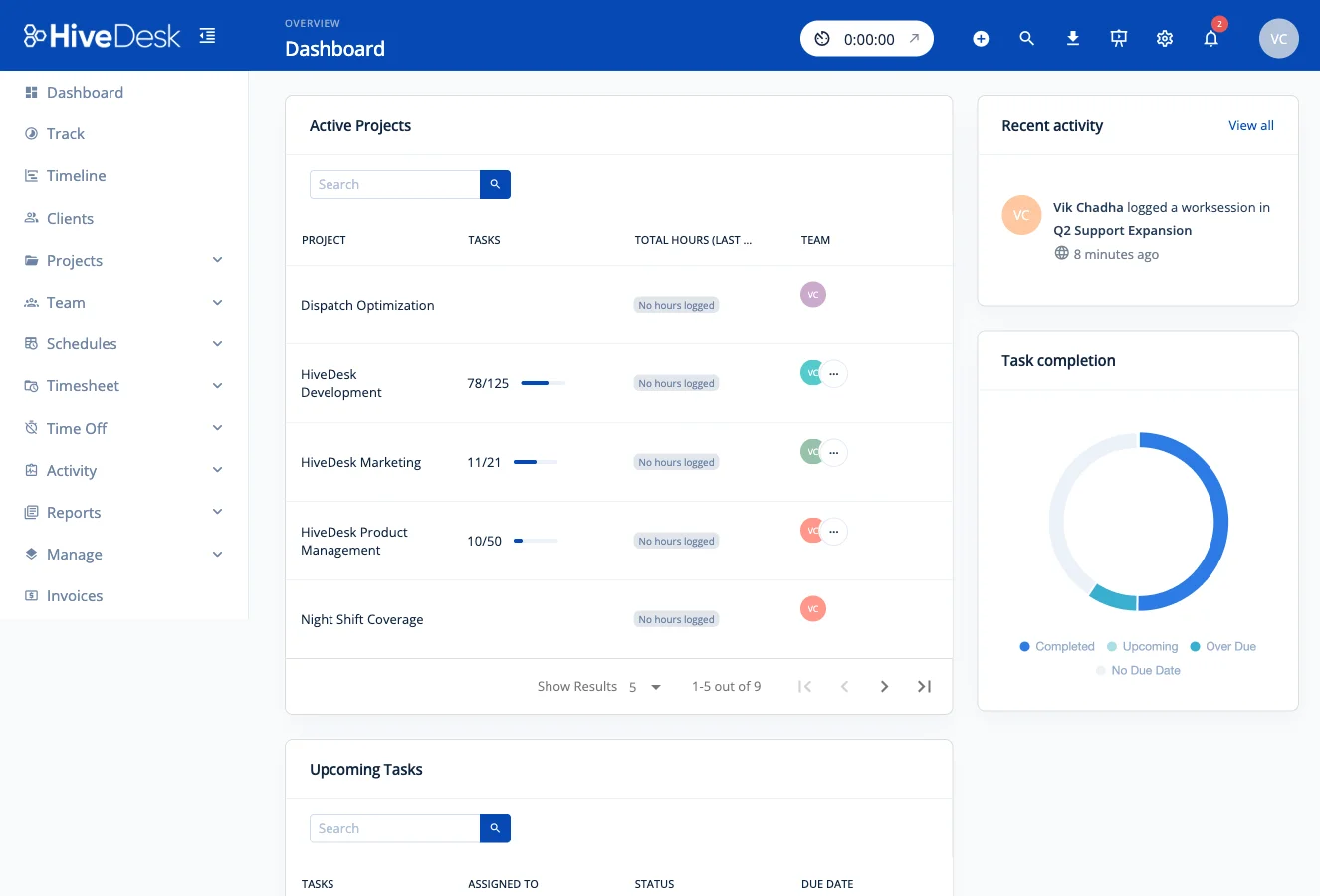
Stop asking people for status updates. HiveDesk dashboards show you live activity, hours tracked, screenshots, and attendance across your entire team — from a single screen.
No credit card required · $5/user/month · All features included
Managing Remote Teams Without Visibility Is Managing Blind
You should not need to interrupt your team to know what they are working on.
Without real-time dashboards
- No way to know who is actually working right now vs. just online
- Status updates require interrupting people on Slack or email
- Time, activity, and attendance data scattered across multiple tools
- End-of-week reports reveal problems too late to fix
With HiveDesk dashboards
- Live view of who is working, what they are on, and their activity level
- Screenshots and activity data provide context without asking anyone
- Time tracking, attendance, and project data in a single dashboard
- Issues are visible as they happen, not at the end of the week
Everything on One Screen
Activity, time, attendance, and screenshots — no tab switching required.
Live Activity View
See who is currently working, their activity levels, and what project they are tracking time against. Know in seconds whether your team is online and productive.
Screenshot Review
View periodic screenshots from team members directly in the dashboard. Configurable frequency per team. Review current and historical screenshots for work verification.
Hours & Timesheet Status
See hours tracked today, this week, and by project. Track timesheet submission and approval status across your team without sending a single reminder.
Attendance at a Glance
Compare clock-in times against scheduled shifts from the dashboard. See on-time, late, and absent status without opening a separate report.
Project Time Distribution
See how hours are distributed across projects and tasks. Identify where your team spends the most time and whether allocation matches priorities.
Role-Based Access
Team members see their own data. Managers see their team. Administrators see everything. Each role gets the right level of visibility with appropriate data boundaries.
How It Works
Your dashboard starts populating as soon as your team starts tracking.
Set Up Your Team
Create projects and teams. Set up shift schedules and configure activity monitoring. Invite team members to download the app.
Team Starts Tracking
Team members track time using desktop, mobile, or browser apps. Activity levels, screenshots, and hours begin flowing into the dashboard immediately.
Monitor & Report
View real-time data from the dashboard. Review timesheets, activity, and attendance reports. Export as PDF or Excel when needed.
Frequently Asked Questions
Common questions about HiveDesk real-time dashboards.
Dashboards show who is currently working, their activity levels, hours tracked today, recent screenshots, project and task time, attendance against schedules, and overtime hours. Data updates as team members track time throughout the day.
Yes. HiveDesk provides role-based access. Team members see their own data. Managers see their team. Administrators have organization-wide visibility. Each role sees relevant information with appropriate permissions.
Slack check-ins interrupt people and only tell you what they claim to be doing at that moment. HiveDesk dashboards show you continuous, objective data — hours tracked, activity levels, and screenshots — without interrupting anyone.
Yes. View periodic screenshots from team members directly in the dashboard. Screenshot frequency is configurable per team. You can review current and historical screenshots to understand how time was spent.
Yes. Use full-screen browser mode to display team dashboards on wall monitors or TVs for shared visibility across your office or contact center floor.
Export timesheets, activity reports, attendance reports, project time reports, and overtime reports as PDF or Excel. Filter by date range, team, project, or individual employee.
Yes. HiveDesk web dashboards are responsive and work on tablets and phones through your mobile browser. You can check on your team from anywhere.
Dashboard data updates as team members track time. When someone starts their timer, they appear as active. Activity levels and screenshots flow in during their work session.
HiveDesk integrates with Asana for project management. Dashboards pull data from HiveDesk built-in time tracking, screenshot monitoring, scheduling, and activity tracking features.
HiveDesk is $5 per user per month — a single plan that includes all features: dashboards, time tracking, activity monitoring, scheduling, attendance, leave management, and reporting. Start with a 14-day free trial, no credit card required.
Related Pages
Workforce Management Software
Complete workforce management platform with dashboards, scheduling, time tracking, and reporting.
Time Tracking
Automatic time tracking that feeds your dashboard with live hours, activity, and screenshot data.
Attendance Management
Automatic attendance from clock-in data — visible on your dashboard alongside activity and hours.
Ready to Get Started?
Join teams worldwide who trust HiveDesk for workforce management, time tracking, and employee monitoring. $5/user/month, all features included.