

Track Every Hour Your Real Estate Team Spends — From Showings to Closings
Your agents juggle showings, open houses, client meetings, contract prep, and admin work across dozens of properties. HiveDesk captures every hour automatically — on mobile in the field, on desktop in the office — so you know exactly where your team's time goes.
No credit card required · Set up in under 10 minutes · $5/user/month

Real Estate Teams Lose Hours Every Week to Manual Tracking
Between showings, open houses, client calls, and paperwork, time slips through the cracks. Here is what changes when you track it automatically.
Without time tracking
- Showing and open house hours go unrecorded because agents forget to log them
- Admin staff time on contracts and MLS updates is invisible
- No way to know how much time each listing actually consumes
- Payroll relies on estimates and self-reported hours
- Scheduling conflicts when agents double-book showings
- Zero data to optimize team staffing and workload balance
With HiveDesk
- Agents tap one button on their phone to track showings and open houses
- Office time on contracts, MLS, and admin tasks is captured automatically
- Every hour is tagged to a property, client, or transaction
- Timesheets are generated automatically and ready for approval
- Team schedules are visible and conflicts are prevented
- Dashboards show exactly how your team spends their time
How Real Estate Teams Use HiveDesk
From the field to the office, every hour is accounted for.
Set up properties as projects
Create a project for each listing, client, or transaction type. Add your agents and staff as team members.
Agents track time anywhere
Field agents use the mobile app at showings and open houses. Office staff use the desktop app for admin and contract work.
Hours are categorized automatically
Every tracked hour is tagged to the right property and task. No manual data entry. No end-of-week guessing.
Review, approve, and export
Approve timesheets, review time-by-property reports, and export data for payroll or operational analysis.
Mobile Time Tracking
Track showing and open house hours from your phone
Real estate work happens in the field. Agents spend hours at property showings, open house events, client walkthroughs, and inspections — none of which happen at a desk. HiveDesk's mobile app lets agents start a timer with one tap, so every field hour is recorded and tagged to the right property.
- iOS mobile app with GPS location tracking
- One-tap timer for showings, open houses, and meetings
- Hours automatically tagged to property or client project
- Works offline — syncs when connection is restored

Office & Admin Hours
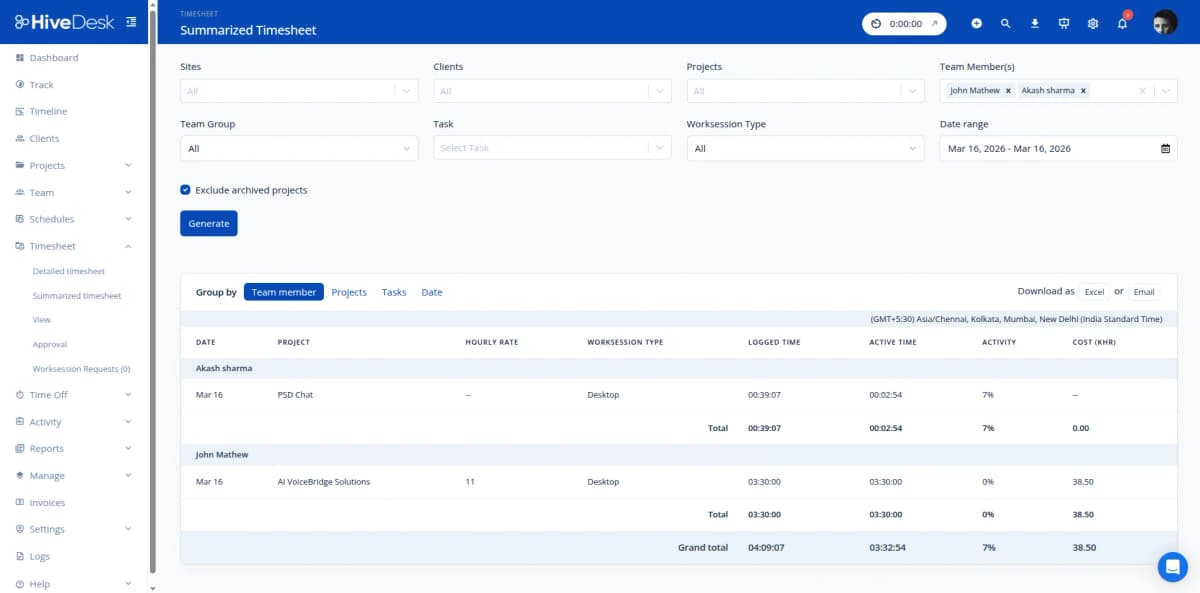
See how much time goes to contracts, MLS, and admin work
For every hour an agent spends at a showing, your team spends two or three hours on contract preparation, MLS listings, client communications, and back-office administration. HiveDesk tracks all of it — so you can see the true cost of each transaction and staff your office accordingly.
- Desktop apps for Windows, macOS, and Linux
- Periodic screenshots for activity verification
- Time tracked by task — contracts, MLS updates, client calls
- Activity dashboards show productivity without micromanaging
Team Scheduling
Coordinate agents across properties and office hours
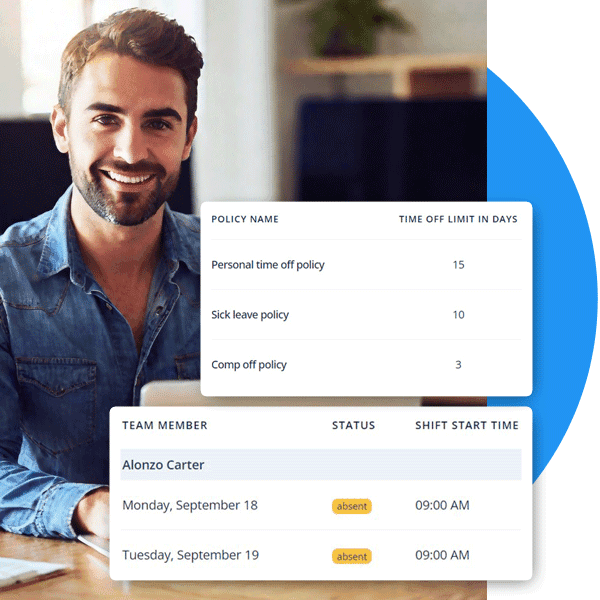
Managing a real estate team means coordinating open house coverage, ensuring office reception is staffed, and balancing agent workloads across listings. HiveDesk gives you scheduling, attendance tracking, and leave management in one place — so you always know who is available and when.
- Create schedules for open houses, office hours, and on-call coverage
- Track attendance automatically from clock-in data
- Manage time-off requests and PTO balances
- See real-time availability across your entire team
Everything Your Real Estate Team Needs
One plan. $5/user/month. Every feature included.
Automatic Time Tracking
One-click timer on desktop, mobile, and browser. Agents track hours by property, client, or transaction — no manual entries.
Employee Scheduling
Schedule agents for showings, open houses, and office hours. Track attendance and manage shift coverage.
Activity Monitoring
Periodic screenshots and activity levels for office-based work. See what your team is working on without micromanaging.
Timesheets & Approval
Auto-generated timesheets with manager approval workflow. Export to PDF or Excel for payroll processing.
Attendance & Leave
Track attendance automatically from clock-in data. Manage time-off requests, approvals, and PTO balances.
Real-Time Dashboards
See who is working, on which property, and for how long. Drill into projects, tasks, and individual agents.
Trusted by Teams Worldwide Since 2011
We have used every time tracking software under the sun, and they all fall short in some area that we need, but overall HiveDesk has met our needs. Their PDF screenshot reports are clean, easy to use and understand. Our clients prefer them over the complicated reports of other systems.
HiveDesk has been instrumental in helping us manage our remote team effectively. The automatic time tracking and screenshot features give us the visibility we need without micromanaging. Setup was straightforward and our team adopted it within a day.
Frequently Asked Questions
Common questions about time tracking for real estate teams.
Real estate time tracking software records how your agents and staff spend their working hours — across property showings, open houses, client meetings, contract preparation, and administrative tasks. Instead of relying on manual logs or guesswork, the software captures hours automatically so you know exactly where time goes and can make informed staffing and operational decisions.
With HiveDesk, agents use the iOS mobile app to start and stop a timer when they arrive at a showing, open house, or client meeting. The mobile app includes GPS location tracking so you can verify where time was spent. For office-based work like MLS research or contract prep, agents use the desktop app on Windows, macOS, or Linux.
Yes. HiveDesk lets you create projects for each property listing, client account, or transaction. Agents select the relevant project before starting the timer, so every hour is categorized automatically. This makes it easy to see how much time each listing consumed from initial showing through closing.
HiveDesk automatically generates timesheets from tracked time data. Managers review and approve timesheets through a built-in approval workflow. Approved timesheets can be exported as PDF or Excel for use with any payroll software. Overtime, attendance, and time-off data are all included.
Yes. Time tracking is legal and often required under labor laws like the Fair Labor Standards Act (FLSA), which mandates accurate hour records for non-exempt employees. HiveDesk operates transparently — agents always know when tracking is active. Screenshot monitoring frequency is configurable and can be turned off for field work.
HiveDesk costs $5 per user per month — one plan that includes every feature. No tiers, no setup fees, no per-feature upsells. You get time tracking, scheduling, attendance management, activity monitoring, timesheets, and reporting. There is a free 14-day trial with no credit card required.
Yes. Office-based staff like transaction coordinators and admin assistants use the desktop app with screenshot monitoring for accountability. Field agents use the mobile app with GPS tracking. All data flows into the same dashboard, giving you a complete view of your entire team.
Most teams are up and running within a day. Sign up for a free 14-day trial, create projects for your properties or clients, invite your team, and they install the app on their preferred device. No IT department needed. No training sessions required.
Related Resources
Guides
Ready to Get Started?
Join teams worldwide who trust HiveDesk for workforce management, time tracking, and employee monitoring. $5/user/month, all features included.