

Enterprise Workforce Management at a Small Contact Center Price
You need agent scheduling, time tracking, activity monitoring, and compliance reporting — but enterprise WFM tools like NICE, Verint, and Aspect are built for 500-agent operations, not yours. HiveDesk gives contact centers under 100 agents the core workforce management features they actually use, for $5/agent/month.
No credit card required · Set up in under a day · No annual contract
Enterprise WFM Tools Were Not Built for Small Contact Centers
You are stuck between spreadsheets that do not scale and enterprise platforms that cost more than your entire technology budget. Here is the middle ground.
What small centers deal with
- Enterprise WFM tools cost $15-30+ per agent with long-term contracts
- Complex platforms require a dedicated WFM analyst to configure and maintain
- Months of implementation before you can schedule a single shift
- Spreadsheet scheduling breaks down as you grow past 10-15 agents
- No visibility into remote agent activity or schedule adherence
- Manual timesheet collection creates payroll errors and compliance gaps
What HiveDesk gives you
- $5/agent/month with no minimum contract or setup fees
- Any manager can configure shifts and schedules — no WFM analyst needed
- Up and running in under a day — agents install the app and start tracking
- Scheduling, time tracking, and monitoring in a single platform
- Real-time dashboards show who is online and whether they are on schedule
- Timesheets generated automatically with built-in approval workflow
From Sign-Up to Scheduled Agents in Under a Day
No implementation project. No IT department. No training sessions.
Create your account
Sign up for a free trial. Set up client projects and create your shift schedules.
Agents install the app
Desktop app for Windows, macOS, or Linux. One-click install. No IT configuration required.
Track time and adherence
Agents click one button to start. Hours are tracked by shift, client, and task. Screenshots capture activity.
Manage and report
Review dashboards, approve timesheets, and export data for payroll or client billing.
Agent Scheduling
Schedule shifts and track adherence without a WFM analyst
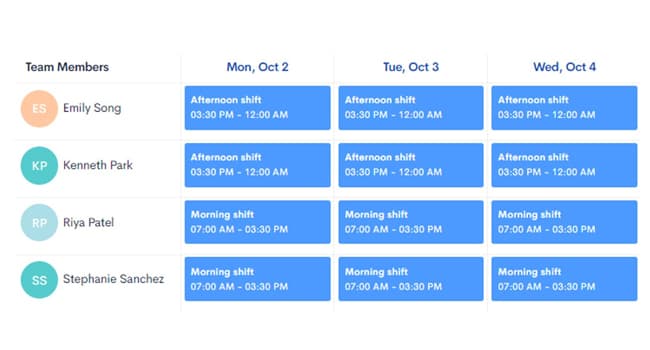
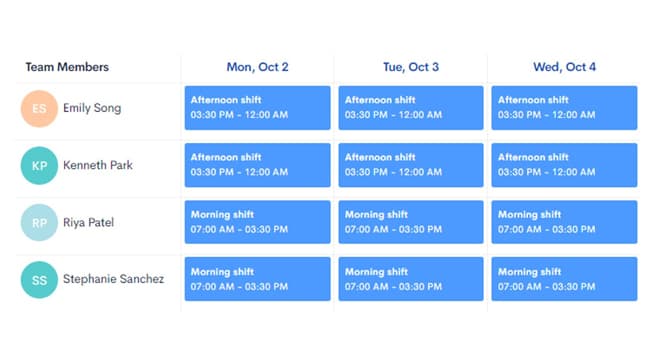
Enterprise WFM tools assume you have a dedicated workforce management analyst to build schedules, run forecasting models, and configure complex rules. Small contact centers do not have that luxury. HiveDesk gives your supervisors a straightforward scheduling interface — create shifts, assign agents, and track whether they clock in on time.
- Create custom shifts for morning, afternoon, evening, and overnight coverage
- Assign agents to shifts and manage coverage across time zones
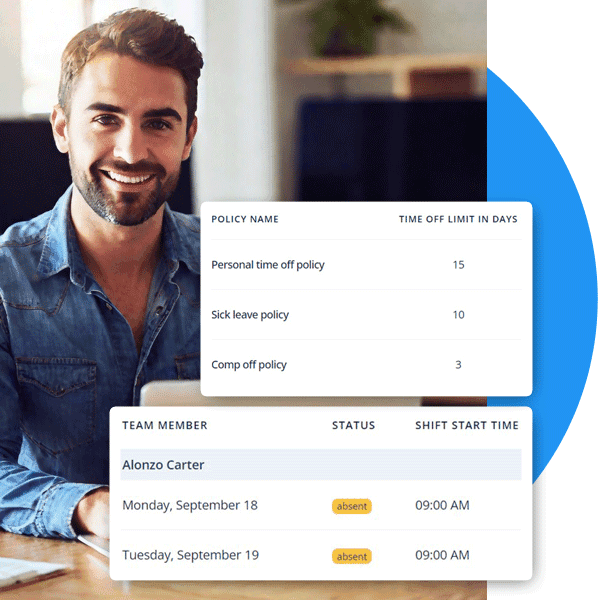
- Track schedule adherence — see who clocked in on time and who did not
- Manage time-off requests and PTO balances without spreadsheets
Agent Monitoring
See what your agents are working on — especially remote ones
When agents work from home, you lose the visibility you had in the office. HiveDesk gives it back with periodic screenshots and activity tracking. Supervisors can see real-time dashboards showing who is online, active, and on task — without hovering over anyone's shoulder.
- Periodic screenshots at configurable intervals
- Activity levels based on keyboard and mouse usage
- Real-time dashboard showing online agents and current tasks
- Per-agent productivity metrics and daily activity summaries
Compliance & Client Billing
Stay compliant and bill clients with verified hours
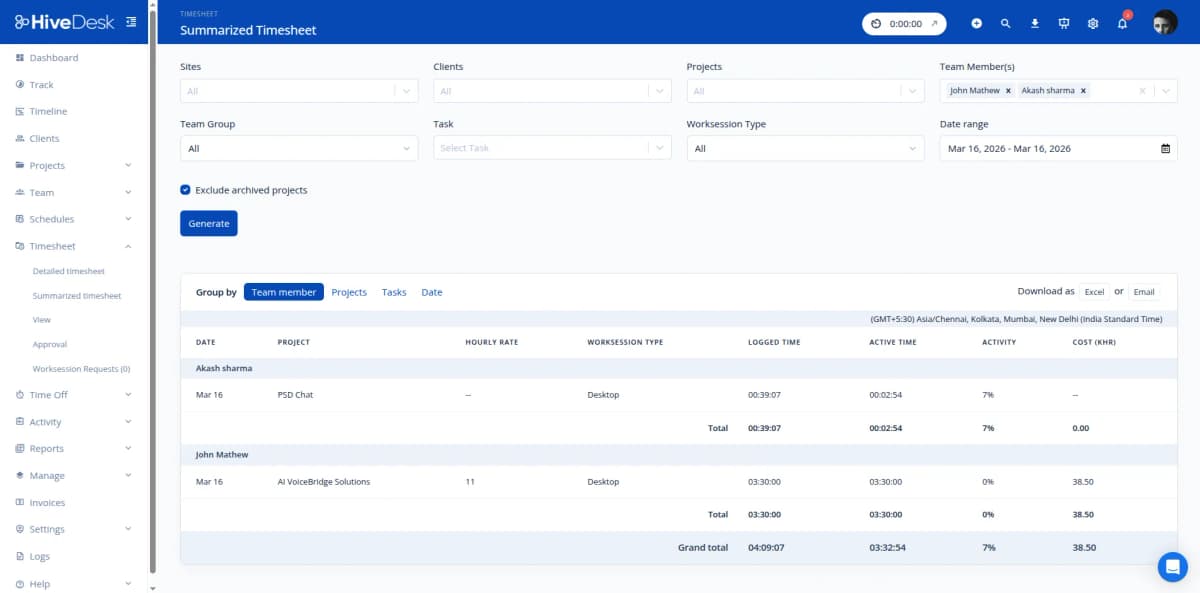
Small contact centers face the same labor law requirements as large ones — FLSA hour tracking, overtime rules, break mandates — but without compliance departments to manage it. HiveDesk captures everything automatically. If you run a BPO operation, per-client time tracking and screenshot reports give your clients verifiable proof of work.
- Accurate daily and weekly hour records for every agent
- Overtime tracked and flagged automatically
- Break time monitoring for regulatory compliance
- Per-client timesheets and screenshot reports for BPO billing
- Export to PDF or Excel for payroll and audits
HiveDesk vs. Enterprise WFM Software
Enterprise platforms deliver features you will never use at prices you should not have to pay. Here is how HiveDesk compares on what actually matters.
| HiveDesk | Enterprise WFM | |
|---|---|---|
| Agent time tracking | Yes — desktop, mobile, browser | Yes (bundled with complex suite) |
| Shift scheduling | Yes — create shifts, track adherence | Yes (with forecasting engine) |
| Activity monitoring | Yes — screenshots + activity levels | Varies by vendor |
| Attendance management | Yes — automatic from clock-in | Yes |
| Timesheet approval | Yes — manager review + export | Often requires separate tool |
| Leave management | Yes — requests, approvals, balances | Varies |
| Setup time | Under 1 day, no IT needed | Weeks to months of implementation |
| Minimum contract | None — month to month | Typically 1-3 year annual contract |
| Dedicated admin required | No | Yes — often full-time WFM analyst |
| Price per agent/month | $5 — all features included | $15-30+ (plus setup fees) |
Everything a Small Contact Center Needs
One plan. $5/agent/month. Every feature included.
Agent Time Tracking
Automatic time tracking with one-click start/stop. Track hours by client, queue, or project for accurate billing and payroll.
Shift Scheduling
Create and assign shifts. Track schedule adherence. Manage coverage across time zones for distributed teams.
Activity Monitoring
Periodic screenshots and activity levels show you what agents are working on. Configurable frequency. Transparent to agents.
Timesheets & Approval
Auto-generated timesheets with manager approval workflow. Export to PDF or Excel for payroll and client billing.
Attendance & Leave
Track attendance automatically from clock-in data. Manage time-off requests, approvals, and PTO balances.
Real-Time Dashboards
See who is online, what they are working on, and whether they are on schedule. Drill into per-agent metrics.
Trusted by Contact Centers Since 2011
We have used every time tracking software under the sun, and they all fall short in some area that we need, but overall HiveDesk has met our needs. Their PDF screenshot reports are clean, easy to use and understand. Our clients prefer them over the complicated reports of other systems.
HiveDesk has been instrumental in helping us manage our remote team effectively. The automatic time tracking and screenshot features give us the visibility we need without micromanaging. Setup was straightforward and our team adopted it within a day.
Frequently Asked Questions
Common questions about workforce management for small contact centers.
Workforce management (WFM) software helps contact centers schedule agents, track working hours, monitor activity and adherence, manage attendance and time off, and generate reports for payroll and compliance. Enterprise WFM tools like NICE, Verint, and Aspect cost thousands per month and require dedicated administrators. HiveDesk provides the core WFM features small contact centers actually need — scheduling, time tracking, activity monitoring, and reporting — for $5/user/month.
Enterprise WFM platforms are designed for contact centers with hundreds or thousands of agents. They include forecasting engines, complex ACD integrations, and multi-site routing that small teams do not need — and charge accordingly. HiveDesk focuses on the fundamentals: agent time tracking, shift scheduling, activity monitoring with screenshots, attendance management, and compliance reporting. You get the operational visibility you need without the complexity or cost.
Yes. HiveDesk is built for remote and hybrid teams. Agents install the desktop app on Windows, macOS, or Linux and start tracking time with one click. Managers see real-time dashboards showing who is online, what they are working on, and whether they are adhering to their schedule. Periodic screenshots provide accountability without surveillance.
Managers create shifts and assign agents to them. Agents see their schedules in the dashboard. HiveDesk tracks schedule adherence by comparing assigned shifts to actual clock-in and clock-out times. You can create recurring schedules, manage coverage across time zones, and adjust shifts as volume changes.
Yes. HiveDesk records daily and weekly hours, tracks overtime automatically, and monitors break times. These records are maintained continuously and can be exported for any audit or compliance review. This helps small contact centers meet FLSA requirements and state labor laws without manual record-keeping.
HiveDesk costs $5 per user per month — one plan with every feature included. No setup fees, no implementation costs, no minimum contract. Enterprise WFM tools typically start at $15-30+ per agent per month with annual contracts, implementation fees, and ongoing admin costs. For a 50-agent contact center, that is the difference between $250/month and $750-1,500+/month.
Yes. Create separate projects for each client account. Agents select the client project when they start the timer, and all hours are categorized automatically. Generate per-client timesheets and screenshot reports for billing verification. This is especially useful for BPO operations that bill clients by the hour.
Most contact centers are up and running within a day. Sign up for a free 14-day trial, create your projects and shifts, invite your agents, and they install the desktop app. No IT department required. No training sessions. No implementation timeline. Agents click one button to start and stop — adoption is immediate.
Related Resources
Guides
Ready to Get Started?
Join teams worldwide who trust HiveDesk for workforce management, time tracking, and employee monitoring. $5/user/month, all features included.